
Key Takeaways
- ✓Count three things separately before you change anything: no-shows, late cancellations, and early cancellations. They need different fixes, and mixing them hides which fix worked.
- ✓Every reminder should end in an action: confirm, reschedule, or cancel in one tap. A message that only states a date leaves the patient with a phone call to make, so many simply do nothing.
- ✓Make rescheduling easier than not showing up. Self-scheduling with guardrails, plus a rebooking offer in the cancellation message itself, turns cancellations into kept appointments.
- ✓Finish intake before the visit and link it to the reminder sequence. A patient who has already invested a few minutes in the visit is far less likely to let it slip.
- ✓Keep a backfill list and work it daily. A freed slot offered within the hour is a kept appointment. A freed slot discovered at the end of the day is a lost one.
A no-show is not just an empty chair. It is a slot your clinic prepared for, staffed for, and cannot sell back once the time has passed, while another patient who wanted that slot waits longer for care. The good news is that most no-shows are not a mystery and not a character flaw in your patients. They come from a small set of fixable causes: the patient forgot, the reminder gave them nothing to do, rescheduling meant a phone call they never made, the visit still had unfinished paperwork attached to it, or the appointment was booked so far ahead that life got in the way first.
This guide covers the system that actually moves the number: reminders patients can act on, intake finished before the visit, and self-scheduling that turns a cancellation into a filled slot instead of a hole in the day. It also covers what not to do, the privacy rules for reminder messages, and a four-week plan for putting it in place without adding work to your front desk.
The Short Answer
If you change only three things, change these. First, send reminders that let the patient confirm, reschedule, or cancel in one tap, instead of a message that only states a date. Second, finish intake before the visit, so the appointment feels real and the patient has already invested a few minutes in it. Third, give every patient who cancels a self-service way to rebook at once, and keep a short backfill list of patients who asked for an earlier slot, so a freed slot is offered within the hour, not discovered at the end of the day. Those three changes, done together, beat any single reminder tool on its own, because they fix forgetting, friction, and empty slots at the same time.
What Counts as a No-Show, Exactly?
Before you try to fix the number, define it, because clinics often mix three different events into one count and then wonder why the fix does not work. A no-show is a patient who neither arrives nor tells you in advance. A late cancellation is a patient who tells you, but too late for you to fill the slot under your normal process. An early cancellation is a patient who tells you in time for the slot to be offered to someone else. Only the first two cost you a slot, and they need different fixes: no-shows need better reminders and easier confirmation, while late cancellations need faster backfill. Count all three separately for a month before you change anything, or you will not know which fix did the work.
It also helps to count by visit type, location, and whether the patient is new or returning. New-patient visits booked weeks ahead behave differently from follow-ups booked at checkout, and a dental hygiene recall behaves differently from a specialist consultation. If one visit type drives most of your empty slots, start there. A clinic-wide campaign aimed at every visit type at once usually changes nothing in particular.
Why Patients Actually Miss Appointments
Ask patients who missed, and the reasons are usually ordinary. They forgot, because the appointment was booked a month ago and nothing reminded them until it was too late. They meant to reschedule, but rescheduling meant calling during office hours, waiting in a queue, and explaining themselves to a stranger, so they put it off until the appointment had passed. They were unsure about the cost, the preparation, or where to park, and uncertainty turned into avoidance. Or something genuinely came up: a sick child, a work shift that changed, a ride that fell through. You cannot remove the last group, and you should not try to punish them. You can remove most of the first three, and that is where the work pays off.
Measure Before You Fix Anything
Work out your starting point from your scheduling system, not from memory. For the last four weeks, count booked appointments, kept appointments, no-shows, late cancellations, and early cancellations, and divide no-shows plus late cancellations by total bookings. That is your empty-slot rate. Write it down, by visit type, and keep the same definition when you measure again. A vendor who promises a result without asking for your starting number is selling a feeling, not a fix.
Reminders That Get a Reply, Not Just a Read
Most reminder messages fail in the same way: they inform but do not ask for anything. A message that says only that you have an appointment on Tuesday at 10am leaves the patient with two jobs, remembering it and, if anything has changed, calling you about it. A message that asks for a reply turns the reminder into a decision point. The patient taps confirm, or taps reschedule and picks a new time, or taps cancel and frees the slot while you can still fill it. Every reminder should end in an action, and the action should take seconds, not a phone call.
Timing matters as much as wording. One reminder is better than none, and two well-spaced reminders beat one, because the first gives the patient time to rearrange their week and the second catches the patient who meant to act on the first. In a randomized quality-improvement project at Kaiser Permanente Washington, adding a second text reminder, sent three days before the visit in addition to one sent two days before, reduced the chance of a primary-care no-show by 7% compared with a single reminder. That is the kind of modest, measured gain to expect from reminders alone. The study is published in full by the US National Library of Medicine, and the link in this section takes you to it: a second text reminder reduced primary-care no-shows in the Kaiser Permanente Washington project.
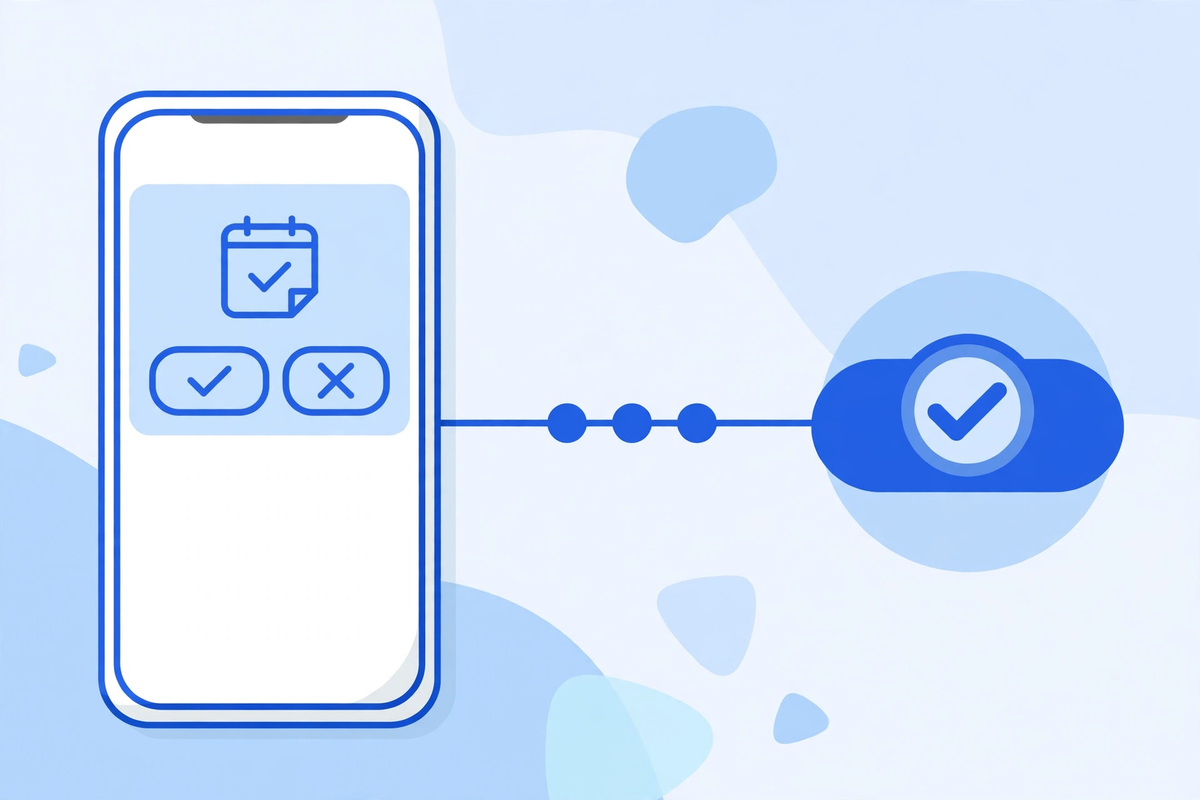
| When to send it | What to send | What the patient can do |
|---|---|---|
| At booking | A confirmation with the date, time, location, and visit type | Add it to their calendar and check the details while they are still with you |
| A few days before | A reminder naming the visit, the clinician, and the address | Confirm, reschedule, or cancel in one tap |
| The day before or morning of | A short final reminder with arrival and parking notes | Confirm once more, or cancel early enough for backfill |
| After a missed visit | A kind message offering rebooking, not a scolding | Rebook at once, without explaining themselves to a stranger |
Keep each message short and personal, and let the patient choose the channel at intake: text, call, or email. A patient who asked for texts and gets calls will ignore them, and the reverse is just as true. Record the choice and let the reminder system read it, so a patient who said no to texts is never texted because someone forgot. Never put clinical detail in a reminder: date, time, location, and clinician are enough.
Make Rescheduling Easier Than Not Showing Up
This is the step most clinics skip, and it is the one that turns a cancellation into a kept appointment somewhere else in the week. If rescheduling takes a phone call during office hours, many patients will simply not show up instead, because not showing up is easier. If rescheduling takes one tap on the confirmation message, or one visit to the patient portal, the same patient will move their appointment and stay your patient. Your goal is simple: make the right action the easy action. That principle also explains why online scheduling matters here, and our guide to online appointment scheduling software for clinics covers the buy, integrate, and build routes in full.
Self-scheduling needs guardrails, or it creates new problems. Limit how far ahead a patient can move a visit without speaking to someone, keep urgent visit types on a phone path, and show only slots that fit that visit type. With those guardrails, every patient who moves their own appointment is one fewer phone call, and every slot they free is a slot your backfill list can use.
Intake Before the Visit, Not in the Waiting Room
A patient who has already filled in their forms, confirmed their insurance details, and read the preparation notes is a patient who has invested time in the visit, and invested patients show up. A patient who arrives to a clipboard of forms they have never seen is a patient who may walk out, or who may decide the whole visit is too much trouble before they leave home. Move intake to the days before the visit, through the patient portal, and tie it to the reminder sequence: the day-before reminder can include the intake link for anyone who has not finished it. Our guide to the AI patient portal explains how portals handle this step, and the intake flow page covers how intake should connect to booking.
Keep pre-visit intake short on purpose. Ask for what the visit actually needs: updated contact details, insurance information, a short reason for the visit in the patient's own words, and any preparation the visit requires. Long forms that ask for a full medical history before a routine visit will lose bookings and collect details the practice does not yet need. And if a patient starts intake but does not finish it, treat that as a signal, not a failure: a short message asking whether they need help with the form will save more visits than a reminder that ignores the unfinished form entirely.
Fill the Gap When Someone Cancels
Even a good system will have cancellations, so the second half of the job is filling the freed slot fast. Keep a backfill list, sometimes called a waitlist, of patients who asked for an earlier appointment, in the order they asked, with the visit types and times they can accept. When a slot opens, offer it to the first matching patient at once, by their chosen channel, with a short deadline to accept, and move down the list if they decline. Assign one person, or one automated step, to work it every morning and again at midday, and check each week how many freed slots were actually filled.
A few cautions keep backfill honest. Never offer a slot to a patient whose visit type does not fit it, and never double-book clinician time as a quiet way of covering expected no-shows unless the clinician has agreed to that model. Double-booking punishes the patients who do show up, with longer waits and rushed visits.
Reminders, Privacy, and Consent: Getting the Rules Right
Reminder messages carry patient details, so the privacy rules matter even though the messages look trivial. The US Department of Health and Human Services states that appointment reminders are considered part of treatment and can therefore be made without a separate patient authorization. That permission is not a blank cheque. Keep each message to the minimum the patient needs to act: the practice name, the date and time, the location, and the confirm or reschedule step. Do not name a diagnosis, a procedure, or a test result in a reminder, and remember that even a practice name can reveal a specialty, so a patient who asked for discreet contact should get it.
Two more rules complete the picture. First, any vendor that stores or sends reminder messages for you handles patient information on your behalf, so it needs a signed business associate agreement before it touches a single message. The US Department of Health and Human Services publishes sample business associate agreement provisions showing what that agreement must cover. Second, respect opt-outs without exception: a patient who replies stop, or who asked never to be texted, must never receive another text because a list was rebuilt. This article is general information, not legal advice.
The same care applies to after-hours coverage. If a patient replies to a reminder at 9pm asking to cancel, that cancellation should be recorded and the slot offered onward, not left in an inbox until Monday. That is where after-hours call handling helps: our guide to AI medical receptionist support explains how calls and messages outside office hours can still be answered and booked, and our earlier guide to why clinics miss patient calls shows how many patient contacts are lost to unanswered phones in the first place.
What Not to Do
| Trap | What patients experience | Do this instead |
|---|---|---|
| A reminder with no action | A patient who wants to change the visit has to call you, so they do nothing | Every reminder ends in confirm, reschedule, or cancel in one tap |
| A no-show fee as the first step | A patient who had a genuine emergency feels punished and does not rebook | Fix reminders and rescheduling first, and treat fees as a last step with clear, advance notice |
| Shaming messages after a miss | A patient who felt guilty now avoids the practice entirely | A kind rebooking offer, with no lecture and no demand for an explanation |
| Double-booking to cover no-shows | Patients who arrive on time wait longer and feel rushed | A backfill list and standby list, worked daily, instead of overlapping real visits |
| Clinical detail in reminders | A diagnosis or test name appears on a shared phone or lock screen | Date, time, location, and clinician only, with detail kept in the portal |
| One channel for everyone | Patients who asked for calls get texts they never see, and the reverse | A channel preference recorded at intake and respected by the reminder system |
A Four-Week Plan That Fits a Real Front Desk
- Week 1, measure and clean up: Count no-shows, late cancellations, and early cancellations for the last four weeks, by visit type. Check how many patients have a usable mobile number and a recorded channel preference, and fix contact details at check-in from now on.
- Week 2, fix the reminder: Rewrite the reminder so every message ends in confirm, reschedule, or cancel in one tap. Set the sequence: confirmation at booking, a reminder a few days out, and a final reminder the day before or on the morning of the visit.
- Week 3, add self-scheduling and intake: Open self-service rescheduling for routine visit types, with guardrails for urgent ones. Link pre-visit intake to the reminder sequence so unfinished forms get a helpful nudge, not silence.
- Week 4, work the backfill list: Start a waitlist for earlier slots and a same-day standby list, assign someone to work both every morning and at midday, and count how many freed slots were filled. At the end of the month, measure the same numbers as week 1, with the same definitions, and keep only the changes that moved them.
If your clinic wants help putting this system together, from reminders and intake to the portal and the booking flow, explore the demos to see how the pieces fit, or request a quote for your own practice. The goal is a schedule patients can actually keep, and a front desk that spends its day on patients, not on chasing empty slots.
Written by Chloe Vance
Healthcare Marketing DirectorChloe Vance has led search engine optimization and digital patient acquisition strategies for top pediatric, dental, and multi-specialty clinical chains.
Frequently Asked Questions
Common conversational queries evaluated by our natural language models concerning deployment guidelines.