Key Takeaways
- ✓The honest comparison is not AI versus your best receptionist. It is AI versus the voicemail those calls hit today. Judge any system on availability and correct booking, not on how human the demo voice sounds.
- ✓The dividing line in this market is booking versus message-taking: a real AI receptionist checks your live schedule, follows your booking rules, and confirms the appointment on the call. Anything less is an answering service with a nicer voice.
- ✓Cost is driven by call volume, hours of coverage, channels, and integration depth. Published US market pricing runs from about $199/month for entry plans to roughly $299–$899/month for typical clinic plans. Your figure needs a scoped quote, not a generic range.
- ✓HIPAA is non-negotiable: no signed Business Associate Agreement, no patient calls. Add encryption, role-based access, audit logs, controlled retention, and a rule that your patient data is never used to train shared models.
- ✓Start with after-hours and overflow, review every transcript for the first month, and expand only if it earns it. And if your call data shows you are not missing calls, you may not need one yet.
An AI medical receptionist is software that answers your clinic's phone calls when your team cannot, after hours, during the lunch rush, or when every line is already busy, works out what the caller needs, checks your real appointment schedule, and books, reschedules, or routes the call instead of sending the patient to voicemail. It is not a phone tree that makes callers press 1 and hope. It is not a chatbot window bolted onto your website. And it is not a replacement for your front desk. Done properly, it is coverage for the calls your front desk physically cannot get to, the calls that today end in a voicemail box that somebody has to clear the next morning, by which time a share of those patients have already booked somewhere else.
This guide explains, in plain language, how an AI medical receptionist actually works, what it should and should never handle, what clinics in the US typically pay for one, the HIPAA and safety questions you must ask before signing anything, and how to tell, honestly, whether your practice needs one at all. If you run a medical, dental, or specialty practice and your phones are a bottleneck, this is the page to read before you talk to any vendor, including us.
What Is an AI Medical Receptionist, Exactly?
Strip away the marketing and an AI medical receptionist has four jobs. First, it answers immediately, in your practice's name, at any hour you configure, including evenings, weekends, and holidays. Second, it holds a natural spoken conversation: it identifies whether the caller wants a new appointment, a change to an existing one, a prescription-related route, a billing question, or something urgent. Third, it acts on what it learns against your live schedule and your booking rules, which provider, which appointment type, how long each visit takes, which insurance plans you accept, rather than simply recording a message. Fourth, it closes the loop: the patient gets a confirmation while they are still on the call and by text or email afterwards, and your team gets a structured summary and transcript they can review.
That last point is the real dividing line in this market. A system that answers and takes messages is an answering service with a nicer voice. A system that books into your actual calendar, follows your rules, and hands anything unclear or sensitive to a human with full context is a receptionist. When you evaluate any product in this category, including the AI Medical Receptionist built by Med Clinic X, judge it on that difference, not on how human the voice sounds in a demo.
The Problem It Solves: Calls Your Team Cannot Physically Answer
Front-desk teams are not failing at phone calls. They are being asked to do two jobs at once: look after the patient standing in front of them, and answer a phone that rings at exactly the same moments, morning check-in surges, the lunch hour when half the team is away, and the late-afternoon rush before closing. Every practice also has a long tail of calls it never sees at all: the parent who remembers to book a check-up at 9pm, the dental patient whose tooth starts hurting on a Sunday, the new patient who found you on Google at 7am and will simply call the next practice on the list if nobody picks up.
Those missed calls rarely show up in any report, which is why they are easy to underestimate. A useful first exercise, before buying anything, is to ask your phone provider or practice system for two weeks of data: how many calls arrived outside opening hours, how many were abandoned during opening hours, and how many went to voicemail. Most clinics that do this are surprised by at least one of the three numbers. That data, not a vendor's promise, is what should drive your decision and your budget.

How a Call Actually Flows, Step by Step
Understanding the flow matters, because each step is a place where quality vendors and cheap ones diverge. A well-configured call looks like this:
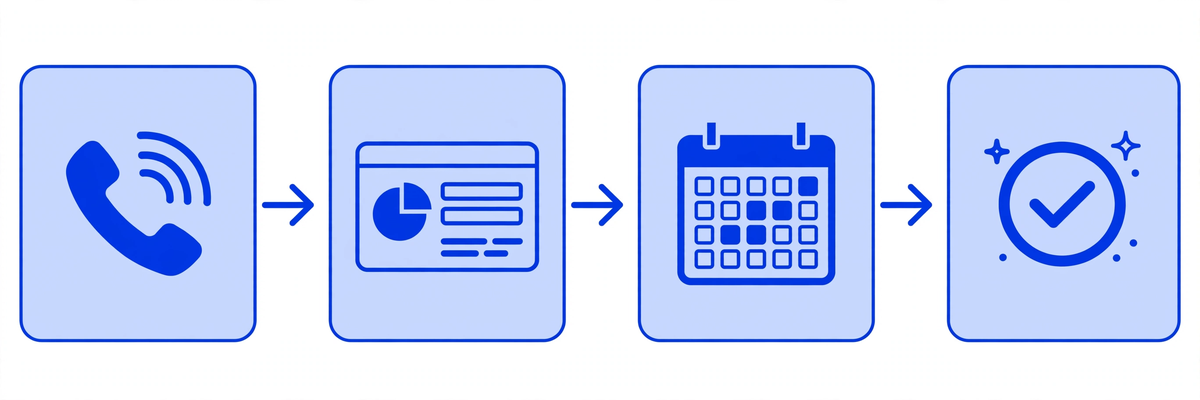
- Answer and identify: The call is answered in your practice's name, and the system identifies itself honestly as your clinic's virtual assistant. It should never pretend to be a named human employee.
- Understand the intent: The caller explains in their own words what they need. The system clarifies only what matters, new or existing patient, reason for the visit in general terms, preferred provider or location, urgency.
- Check the live schedule: Availability is checked against your real calendar and your booking rules: appointment lengths, buffers, provider preferences, insurance accepted, and any rules such as new-patient slots only in the morning.
- Book and confirm on the call: The patient leaves the call with an actual appointment, not a promise of a callback, plus a text or email confirmation and any preparation instructions you have approved, such as fasting or bringing a referral.
- Write it back and report: The booking, notes, and a transcript or summary appear where your team works, your scheduling system and, where integrated, your patient records, so the morning starts with a clear list of what was handled overnight.
- Escalate anything unclear or urgent: If the system cannot confidently help, or the call sounds urgent or sensitive, it routes to your on-call process or a staff member with the full context of the conversation. Dropping or guessing is not acceptable behaviour for a medical front door.
Two details in that flow deserve emphasis. The booking rules are yours: a good implementation starts by documenting how your practice already books, which is also why a clinic with no defined booking rules should define them before buying software, human or AI. And the escalation path must be tested, with real test calls, before go-live, not discovered during your first genuine urgent call.
What It Should Handle, and What It Must Never Handle
Safe and sensible to automate
- Booking, rescheduling, and cancelling appointments against your live schedule and rules
- Answering factual questions you have approved: opening hours, locations, parking, which insurance plans you accept, what to bring to a first visit
- Collecting standard intake information ahead of a visit, coordinated with your digital intake process
- Confirming appointments and handling reminder replies, so fewer slots are lost to no-shows
- Routing prescription, billing, and records requests to the right team or process instead of a general voicemail box
- Taking a complete, structured message when a human is genuinely required, with the caller's details, reason, and urgency, not just a name and number
What it must never do
- Diagnose, triage beyond your approved escalation script, recommend treatment, or answer clinical questions with medical advice
- Handle an emergency as a routine booking, callers describing emergency symptoms must be directed to emergency services and your on-call clinician immediately
- Invent information: if it does not know your policy on something, it should say so and route the question, never guess
- Pretend to be human when asked, or hide that a call may be recorded or transcribed where your state requires disclosure
A simple test for any vendor
Ask the vendor, in the demo, three awkward questions: What happens when a caller describes chest pain? What happens when a caller asks something your clinic has no policy for? What happens when it cannot understand a caller's accent or request? The quality of those three answers tells you more than any feature list.
AI Receptionist vs In-House Staff vs Answering Service
These three options are not interchangeable, and for many practices the right answer is a combination: humans for the patients in the building and the conversations that need judgement, AI for overflow and after-hours coverage, and no voicemail in between. Here is the honest comparison:
| In-house receptionist | Traditional answering service | AI medical receptionist | |
|---|---|---|---|
| Coverage | Your opening hours only | 24/7 message taking | 24/7, including holidays, as configured |
| Books appointments | Yes, into your schedule | Usually no, takes a message | Yes, into your live schedule and rules |
| Handles simultaneous calls | One call at a time, per person | Yes, messages only | Yes, no engaged tone at peak times |
| Consistency | Depends on the person and the day | Script-based, varies by operator | Same rules and script every call |
| Cost shape | Salary plus benefits, tax, training, cover | Per-minute or per-call, can spike in busy months | Typically a flat monthly plan by volume and integrations |
| Weakness | Cost of cover for sickness, holidays, turnover | Patient still waits for a callback to actually book | Must be configured, tested, and monitored, it is software, not magic |
Notice what the table does not claim: that AI is warmer, more empathetic, or better with a distressed patient than a good human receptionist. It is not. Its case rests on availability, consistency, and speed for routine calls, the calls where the alternative today is not your best receptionist, but a ringing phone, an engaged tone, or a voicemail box.
What an AI Medical Receptionist Costs
There is no single market price, and any vendor who quotes you a precise figure without asking about your call volume and systems is guessing. Published US vendor pricing that we reviewed in October 2026 gives a realistic shape of the market: entry-level plans advertised from about $199 per month, typical clinic plans commonly in the $299 to $899 per month range depending on call volume, channels, and integration depth, and higher tiers, or additional setup fees, for multi-location practices, multiple channels such as phone plus text, or deep calendar and record-system integrations. Treat those figures as market context from other vendors' public pages, not as a quote for your clinic.
What actually drives the price
- Call volume and minutes: A solo practice with modest overflow pays very differently from a multi-location group covering 24/7.
- Hours of coverage: After-hours only is the cheapest sensible starting point. Full 24/7 overflow plus after-hours costs more.
- Integration depth: Booking into a cloud calendar is simpler than bidirectional integration with your practice management or record system, and the integration is where much of the real value sits.
- Channels: Phone only, or phone plus text confirmations, reminders, and website enquiries handled the same way.
- Setup and configuration: Documenting booking rules, recording approvals, testing escalation paths, and training your team takes real work. Ask whether it is included or billed separately.
Compare that against the true cost of the alternatives: an additional in-house hire carries salary, payroll taxes, benefits, training, and the ongoing problem of covering their holidays and sick days, while a per-minute answering service can become expensive precisely in your busiest months, and still leaves the patient waiting for a callback before anything is actually booked. Med Clinic X scopes and prices this per clinic based on call volume, hours, and integrations, which is why we ask practices to request a quote or see the demos first rather than publishing a one-size-fits-all price that would be wrong for most readers.
Questions that reveal the real monthly cost
How many calls or minutes are included, and what happens when we exceed them? Is setup included? Are text confirmations billed separately? What does the integration with our specific scheduling system cost? Is there a contract term, and what does cancellation look like?
HIPAA, Privacy, and Safety: The Non-Negotiables
A receptionist, human or AI, hears patient names, contact details, insurance information, and the general reason for a visit. That makes the vendor behind it part of your compliance picture, not just a phone gadget. Under HIPAA, a vendor that creates, receives, maintains, or transmits protected health information on your behalf is a business associate, and the US Department of Health and Human Services explains that a business associate agreement is required in exactly that situation. No signed BAA, no patient calls. That is the first and simplest filter.
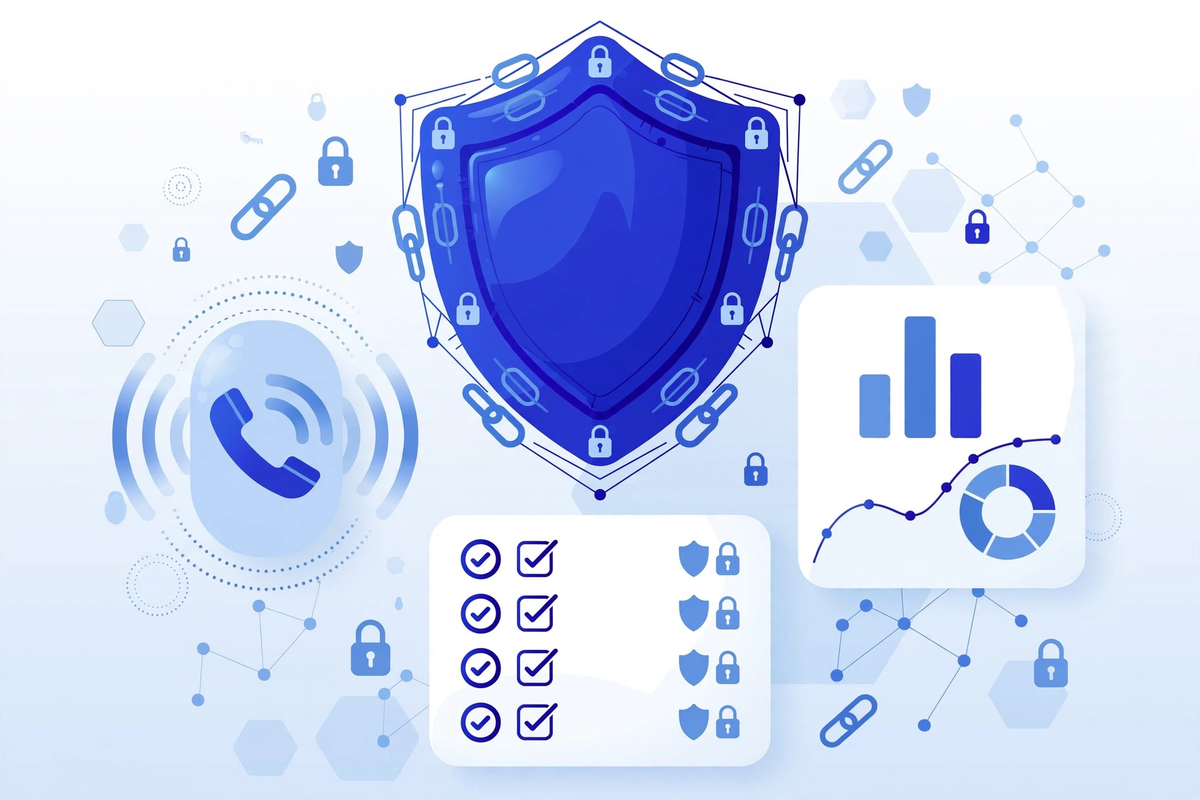
- A signed Business Associate Agreement (BAA) before any patient call is handled, not promised for later
- Encryption of call data, recordings, and transcripts in transit and at rest
- Role-based access: only your authorised staff can listen to recordings or read transcripts, with audit logs of who accessed what
- A clear answer on model training: your patients' data must not be used to train shared or public AI models
- Data retention you control: how long recordings and transcripts are kept, and how they are deleted on request or at contract end
- Tested emergency and escalation handling, and honest identification of the system as an automated assistant
Also think about the wider digital front door the call connects to: if the AI books patients into a portal they then cannot log into, or collects intake details that your team has to retype into another system, you have bought a faster bottleneck. The receptionist, the schedule, the intake flow, and the patient portal have to work as one path, which is why we treat this as part of clinic workflow automation, not a standalone gadget.
How to Evaluate a Vendor: A Practical Checklist
- Does it book into our real schedule, in the demo, with our appointment types, or does it take messages and call that booking?
- Which of our exact systems does it integrate with, and is that integration live at other clinics or a roadmap promise?
- Can we read transcripts and listen to recordings of every call it handles for us?
- How are urgent and emergency callers recognised, word for word, and where exactly are they routed?
- Is a BAA included, and can we see the security documentation before signing?
- What happens when it does not understand a caller, does it retry, route to a human, or quietly take a message?
- Who writes and approves our booking rules and scripts, and how do we change them later?
- How long does setup realistically take for a practice like ours, and what work falls on our team?
- What is our true monthly cost at our measured call volume, including overages, texts, setup, and integrations?
- Can we start with after-hours only, review real transcripts for a month, and expand only if it earns it?
When You Probably Do Not Need One, Yet
Honesty about the opposite case matters, because software bought for a problem you do not have becomes shelfware. You can probably wait if your call data shows genuinely low volume with reliable human cover and almost no after-hours demand in your specialty; if your schedule is so irregular that booking rules cannot yet be written down, define the rules first, because every receptionist, human or AI, works from them; or if your real bottleneck is downstream: if new patients can book but cannot complete intake, find your forms, or get seen promptly, fix that first. An AI receptionist speeds up the front of a process. It cannot repair the process behind it.
Implementation, Step by Step
- Measure first: Pull two weeks of call data, after-hours volume, abandoned calls, voicemail counts, so you know the problem you are solving and can judge results later.
- Write the booking rules: Providers, appointment types and lengths, insurance accepted, new-patient rules, buffers, and what must always go to a human.
- Connect the systems: Calendar and scheduling first, intake and records integrations where they are in scope.
- Configure voice, scripts, and escalation: Practice greeting, honest AI identification, approved answers, emergency wording, and on-call routing.
- Test like a sceptic: Staff place test calls, routine, awkward, urgent-sounding, and unclear, and every failure is fixed before a real patient hears it.
- Pilot on after-hours only: The lowest-risk, highest-value starting point. Review every transcript for the first weeks.
- Review weekly, then expand: Correct rules, add questions it missed, and only then extend coverage to daytime overflow.
Common Mistakes Clinics Make
- Buying on voice quality: A pleasant voice that takes messages is worth less than a plainer one that books correctly into your schedule.
- Skipping the transcript review: The first month of transcripts is where you find your unclear policies and your patients' real questions. Clinics that skip this blame the tool for their own undocumented rules.
- Automating the emergency path last: Escalation and emergency wording should be configured and tested first, not discovered in production.
- Forgetting the team: Front-desk staff who hear about the system as a replacement will resist it. Positioned honestly as cover for the calls they cannot reach, most teams become its best quality controllers.
- Measuring nothing: If you did not record missed-call numbers before, you cannot know afterwards whether it worked. Keep the before numbers.
The Bottom Line
An AI medical receptionist is worth buying when three things are true: your call data shows real calls being missed, the system books into your actual schedule under your rules, and the vendor meets the HIPAA, escalation, and transparency bar set out above. It is not worth buying as a novelty, as a replacement for a good front-desk team, or on the strength of a polished demo call.
If you would like to see how this would work on your own clinic's calls, start with the Med Clinic X demos, including the AI medical receptionist in action, or request a scoped quote based on your actual call volume and systems. And if your call data says you do not need one yet, we would rather tell you that. A front door that patients can actually get through is the whole point.
Written by Chloe Vance
Healthcare Marketing DirectorChloe Vance has led search engine optimization and digital patient acquisition strategies for top pediatric, dental, and multi-specialty clinical chains.
Frequently Asked Questions
Common conversational queries evaluated by our natural language models concerning deployment guidelines.