
Key Takeaways
- ✓Digital fax keeps your fax number and moves the traffic to an email inbox or web portal, so faxes become searchable files with a log, and the machine and its phone line can go.
- ✓Fax survives because every practice, hospital and payer already has a number. Referrals, prior authorization and records requests still move by fax, and digital fax keeps you connected to all of them.
- ✓HIPAA does not ban faxing, but a digital fax service is a business associate, so it must sign a business associate agreement before it handles patient information. Check the tier, not just the price.
- ✓Published prices reported in November 2026 start at about $12.60 a month for a plan with an agreement, and run to about $80 a month for larger shared plans. Buy the plan your page volume needs.
- ✓Direct secure messaging is the stronger replacement where your contacts have addresses, and the CMS prior authorization rule pulls that workflow electronic from 2027. Move the busiest routes first and keep digital fax for the rest.
A digital fax service lets your clinic send and receive faxes through email or a web page, instead of a machine on the counter. Incoming faxes arrive as files in an inbox your team can search, and outgoing faxes go out from a computer, with a record of every page sent. For most small clinics the switch costs less than the phone line and paper the old machine needs, and it removes the tray of patient pages anyone can pick up. This guide explains why faxing still matters, what digital fax is, what it costs, and how to move off the machine.
This guide is for a clinic owner or manager who still runs a fax machine and wonders whether it is time to replace it. It covers the four routes a clinic can take, the checks that belong in the decision, and the replacement that is not fax at all. The examples are illustrative, drawn from ordinary small-clinic situations. Our digital patient intake guide covers what happens once a referral reaches you.
Why the Fax Machine Is Still on Your Front Desk
Fax survives in healthcare because it is the lowest common denominator. Nearly every practice, hospital, pharmacy and payer already has a fax number, and a fax goes through without anyone having to agree on software first. A referral or a lab result can leave your office and land on the recipient's desk in minutes, even when the two organisations run different record systems.
Three workflows keep it alive. Referrals are the first. A specialist's office still asks for records by fax, because the receiving side has a fax number on its website and no other channel listed. Prior authorization is the second. Our article on prior authorization for clinics describes a system still part fax and part portal. Records requests are the third. Pharmacies, labs and other clinics send documents by fax because it works with every recipient.
- Referral packets and consultation notes, sent to specialists who list a fax number as their only channel.
- Prior authorization forms and supporting notes, when the payer portal is down or does not cover the request.
- Lab and imaging results from outside labs that still deliver by fax.
- Records requests from other clinics, pharmacies and care homes.
What Digital Fax Actually Is
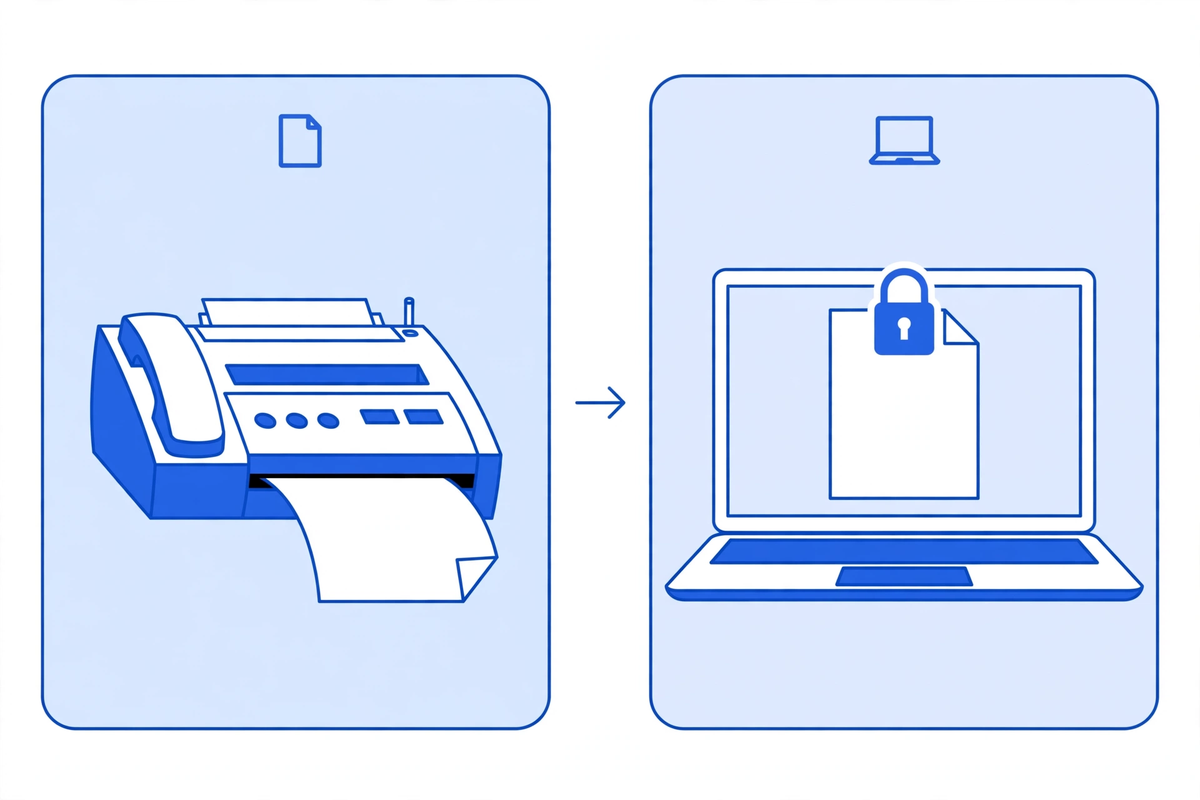
Digital fax, usually called online fax or cloud fax, moves faxing onto the internet. Your clinic keeps a fax number, but there is no machine. Incoming faxes arrive as files, usually PDFs, in an email inbox or a web portal. Outgoing faxes are sent by uploading a document or emailing it to a fax address. The service converts the file and sends it to the recipient's fax machine. The recipient sees an ordinary fax.
Four things change when the machine goes. Pages no longer sit in a tray on the counter. They sit in an inbox with a search box, so a referral from last month can be found in seconds. Access is by login, not by walking past the machine, so only staff with permission open patient documents. Every fax is logged with a time and a number, and the fax line can go, with its monthly charge.
Digital fax is not the same as secure messaging, and the difference matters. A digital fax still travels as a fax on the recipient's side, so it works with any clinic that has a fax number. Secure messaging only works when both sides have an address on the same network. Digital fax is the step that keeps you connected to everyone while you remove the machine. The wider shift is from fax and portals to connected systems, where documents move between systems instead of across a phone line.
The Four Routes, Side by Side
A clinic replacing its fax machine has four routes, and they differ more than their prices suggest. The table sets them out, and the paragraphs after it explain when each one fits.
| Route | How it works | What it costs | Who it fits |
|---|---|---|---|
| Cloud fax service | Faxes arrive by email or web portal | About $13 to $80 a month | Small clinics that want the machine gone |
| Fax server in the office | Software on your own server, over your phone lines | Licence plus lines and upkeep | Larger clinics with IT support |
| EHR built-in faxing | Faxing inside your record system, tied to the chart | Bundled, or an add-on module | Clinics whose record system offers it |
| Direct secure messaging | Encrypted messages between known addresses | Often bundled with your EHR | Clinics whose contacts all have Direct addresses |
Cloud fax is the usual choice for a small clinic, because there is nothing to install and the number can be ported across. A fax server suits a larger clinic that wants the traffic on its own systems, but it needs upkeep, and it keeps the phone lines. Built-in faxing is the tidiest option when your record system offers it, because the fax lands on the patient chart without retyping or scanning. Direct messaging is the strongest replacement, and the most limited, because it only reaches contacts who have a Direct address.
Two questions decide it: who you fax most, and where the fax needs to land. If your contacts only publish fax numbers, cloud fax keeps you connected. If your team retypes faxes into the record all day, built-in faxing is worth more than the cheapest plan.
HIPAA and Faxing: What the Rules Actually Say
The first thing to know is that HIPAA does not ban the fax machine. The Privacy Rule permits a physician's office to fax patient information to another provider for treatment, without patient authorization, as long as reasonable safeguards are in place. HHS says so directly in its fax guidance for physicians, and names two safeguards as examples: confirming that the fax number is correct before sending, and placing the machine where unauthorised people cannot reach the pages.
The second thing is that a digital fax service is a business associate. Any online service that stores or handles your patient information needs a signed business associate agreement before it touches real data. HHS publishes sample business associate agreement provisions that show what the contract has to cover. If a vendor will not sign one, do not send patient information through it. Some vendors only offer the agreement on higher tiers, so check the tier, not just the headline price.
The third thing is the safeguards themselves. A wrong number is the most common fax mistake, and it is the one a digital service helps with most. Stored numbers, a confirmation step before sending, and a cover sheet that names the intended recipient all cut the risk. With a cloud service, incoming faxes arrive in a named inbox, and only staff with permission can open them. With a machine, anyone walking past the counter can read the top page.
Treat every misdirected fax as a privacy incident. Work out what was sent, who received it, and whether the information was actually seen, and record the assessment. The breach notification rule expects that assessment. If your clinic has never written down its fax routine, a HIPAA risk assessment is the place to start.
- Confirm every new fax number with the recipient before the first patient document goes to it.
- Store the numbers you use often, so nobody retypes them.
- Use a cover sheet that names the recipient.
- Keep incoming faxes in a named inbox, and clear them the same day.
- Keep a log of what was sent, when, and to whom.
What Digital Fax Costs
Digital fax is cheap by clinic software standards, but the price that matters is the price of the tier that will sign a business associate agreement. The table below uses published prices reported by third-party comparisons in November 2026. Confirm both the price and the tier on the vendor's own page before you buy.
| Service and plan | Published price | What is included | Business associate agreement |
|---|---|---|---|
| SRFax Healthcare Lite | $12.60 a month | 200 combined pages a month | Available on request for healthcare plans |
| eFax Business | $39.99 a month | 500 pages, five users, one number | Included with the Business plan |
| Fax.Plus Enterprise | $79.99 a month, billed annually | 4,000 shared pages, unlimited members | Included with the Enterprise plan |
| eFax Personal | $18.99 a month | 200 pages, one user | Not included, so not for patient information |
Read that table as a warning as much as a price list. The cheapest plan on a vendor's page is often a personal plan with no agreement, and a clinic that buys it for patient documents has bought a consumer tool for a clinical job. The agreement is the line that matters. A service that signs one and keeps an audit log is a clinical tool.
Set the page count from your own volume, not from the vendor's example. Count the faxes your clinic sent and received last month. A plan with 200 pages suits a clinic that faxes a few pages a day. A clinic that sends full referral packets every day will pass it in the first week, and overage charges per page add up fast.
The rest of the cost is the switch itself. Porting your fax number usually takes a few days and a form, and some vendors charge for it. Staff training is a morning, not a project, because the inbox works like email. The saving is the phone line, the paper, the toner, and the machine itself.
Direct Messaging: The Replacement That Is Not Fax at All
Direct secure messaging is the federal answer to fax, and it has been running for over a decade. It works like secure email for healthcare: a clinic sends a referral or a care summary to a known address, encrypted, with the sender's identity checked. It was built to replace the flow of faxes, couriered documents and hand-carried notes that still move between clinics. The Office of the National Coordinator for Health IT, which launched the Direct Project, describes it as a simple, secure way to send information electronically so providers can concentrate on care.
The scale is now large. DirectTrust, the non-profit that runs the Direct network, supports over 2.7 million Direct addresses, and ONC reports over 5.3 billion messages sent and received. In 2023, 58 per cent of non-federal acute care hospitals told the American Hospital Association they often used Direct to send information to other organisations, nearly twice the share that often used mail or fax. Those figures come from ONC's review of Direct adoption.
Direct only works when the other side has an address. That is its limit, and it is why it cannot replace fax on its own today. A clinic can ask its regular referral partners whether they have a Direct address, and move the busiest routes across first. The rest stays on digital fax until those contacts catch up. Ask your EHR vendor whether Direct is already included in your system, because it often is.
The pressure to move is now written into regulation. Under the CMS Interoperability and Prior Authorization Final Rule, CMS-0057-F, the payers it covers must offer electronic prior authorization through standard interfaces, with the interface requirements generally due from 1 January 2027. The rule binds payers, not clinics, but it pulls the busiest fax workflow toward electronic channels. The CMS fact sheet sets out the dates and the limits in full.
Moving Off the Machine: A Four-Week Switch
A small clinic can move off the fax machine in about a month, and most of that time is waiting for the number to port. The work itself is small. The plan below keeps the old machine running until the new route is proven, so no referral is lost in the gap.
- Week one, count the traffic. Note every fax number you send to, every number that sends to you, and how many pages move in a week.
- Week two, choose the route and sign the agreement. Confirm the agreement is in writing, and check the plan covers your page count.
- Week three, port the number and test. Send test faxes to your busiest contacts, and confirm they arrive. Keep the machine plugged in.
- Week four, train the team and retire the machine. Then unplug it and cancel the line.
Take a small family practice as an illustrative example. It sends and receives about 30 faxes a week, most of them referral packets of three or four pages, so about 400 pages a month. On SRFax Healthcare Lite at $12.60 a month for 200 pages it would pay overages every week, so the Lite plan is the wrong size. On eFax Business at $39.99 a month for 500 pages, the same practice fits inside the plan. Buy the plan your volume needs, not the cheapest one on the page.
Two mistakes cause most failed switches. The first is porting the number before telling anyone. Referrers who fax the old number during the port can hit a dead line, so tell your busiest contacts the week before, and check the inbox daily during the move. The second is leaving the old machine as a second channel. If the machine stays plugged in, staff keep using it, and the clinic pays for two systems. Retire it on a set date, and make the inbox the only route.
When Keeping the Machine Is the Right Call
Not every clinic should move yet. If your busiest referral partners only take fax, and your volume is a few pages a week, a cloud service still makes sense, because it is cheap and it removes the tray. But if your clinic has no reliable internet, or your team has no one to own the inbox, the machine is doing a job nothing else can do yet. Keep it, and put the safeguards around it: a secure location, a confirmation step, and a daily clear-out. Set a date to retire it when you start, and hold to it unless the tests fail.
Med Clinic X does not sell a fax service. We build clinic software, including intake flow for the referrals and forms that arrive once a fax lands, and an AI medical receptionist that answers calls and books visits. This article is written so you can judge a fax vendor on your own terms, with the same checks we would apply to any tool that handles patient information.
Questions to Ask Before You Buy
Take this list to the vendor, and ask for every answer in writing. A vendor that answers plainly is worth more than a vendor with the lowest price.
- Will you sign a business associate agreement, and on which plan?
- Where are faxes stored, how are they encrypted, and how are they deleted?
- How many pages does the plan include, and what does an extra page cost?
- Can we keep our fax number, and how long does porting take?
- Does the service file faxes to our record system?
- Can we trial the service with real referral traffic first?
Start with a trial, not a contract. Run it alongside the machine for two weeks, count the pages, and check the busiest contacts receive your faxes cleanly. If the numbers work, port the number and retire the machine. To talk through the rest of your front desk, book a demo or request a quote.
The Bottom Line
Fax survives in healthcare because everyone already has a number, not because it is a good system. Digital fax keeps the connection and removes the machine: faxes arrive in a searchable inbox, only named staff can open them, and every page is logged. The price is small, from about $13 a month, but the agreement matters more than the price. Direct messaging is the stronger replacement where your contacts have addresses. Count your traffic, pick the plan your volume needs, trial it for two weeks, and set a date to retire the machine.

Written by Chloe Vance
Healthcare Marketing DirectorChloe Vance has led search engine optimization and digital patient acquisition strategies for top pediatric, dental, and multi-specialty clinical chains.
Frequently Asked Questions
Common conversational queries evaluated by our natural language models concerning deployment guidelines.