

Key Takeaways
- ✓Prior authorization is a payer check before a service, and most delays come from workflow gaps: late checks, incomplete submissions, and cases with no owner.
- ✓Under CMS-0057-F, impacted payers must decide expedited requests within 72 hours and standard requests within seven calendar days, and give a specific reason for denials.
- ✓The 2026 rule does not cover every payer or drugs, so record which track each case is on instead of assuming one timeline for all plans.
- ✓A complete first submission, a named owner, and a weekly status review prevent more delays than any single tool on its own.
- ✓Read every denial reason first, sort it into missing document, coding, or medical necessity, and appeal or correct it within the payer window.
Prior authorization is a payer saying yes before a service happens. A clinic orders an MRI, a procedure, equipment, or a specialty treatment, and the health plan checks first whether it will cover it. When that check runs well, the patient gets care on time and the clinic gets paid. When it runs badly, the appointment slips, the patient waits, staff spend hours on the phone, and a claim can still be denied after the visit. Most of that pain is preventable, and most of it is a workflow problem, not one difficult payer.
This guide gives you a workflow you can run with the team you already have: check at booking, submit complete the first time, give every case a named owner, track it to a decision, and appeal with the reason given. It also explains what changed under the federal rule in 2026, and what did not, so you do not rebuild your process on a misunderstanding. Examples are illustrative, and this is general practice information, not legal or patient-specific advice.
What Prior Authorization Is, in Plain Terms
A prior authorization request asks a payer to confirm, before the service, that it meets its coverage and medical necessity rules for that patient. It is most common for advanced imaging, elective procedures, durable medical equipment such as CPAP machines, and some specialty drugs and infusions. Routine office visits usually do not need one. The list changes by payer and plan, which is why a service that needed no authorization last year may need one now.
Two points matter from the start. An approval is not a payment guarantee on its own: eligibility, coding, and claim details still have to match, and a patient can still owe a copay, deductible, or coinsurance. And authorization is the payer checking its own rules, not the clinician deciding what care is right.
What Changed in 2026, and What Did Not
The Centers for Medicare and Medicaid Services published the Interoperability and Prior Authorization Final Rule, known as CMS-0057-F, in early 2024, with its main operational requirements taking effect on January 1, 2026. For covered payers, it sets decision times, requires a specific denial reason, and requires public reporting of prior authorization measures. The Centers for Medicare and Medicaid Services explains the rule on its CMS prior authorization rule page.
The rule covers a defined group, called impacted payers: Medicare Advantage plans, state Medicaid and CHIP fee-for-service programs, Medicaid and CHIP managed care plans, and qualified health plan issuers on the federally facilitated exchanges. For those payers, except qualified health plan issuers on the federal exchanges for the timeframes, expedited requests must be decided within 72 hours and standard requests within seven calendar days. Denials must state a specific reason, whatever channel was used. By January 1, 2027, those payers must also offer a prior authorization interface, so requirements, documentation, requests, and decisions can move electronically instead of by fax and portal alone.
What the rule does not do matters just as much. It does not cover commercial employer plans or traditional Medicare fee-for-service, and it covers medical items and services, not drugs. A 2026 proposal would extend electronic prior authorization to drugs, but a proposal is not a final rule, so do not change drug workflows on its strength alone. Your clinic will run two tracks for a while, so record which track each case is on rather than assuming one timeline for all payers.
| What changed in 2026 | What it means for your clinic |
|---|---|
| Decision times for impacted payers | 72 hours for expedited requests, seven calendar days for standard requests, from receipt |
| Specific denial reasons | A denial must state its reason, giving you the exact point to fix or appeal |
| Public reporting by impacted payers | Approval, denial, and turnaround measures become visible for comparison with your experience |
| Electronic exchange from January 1, 2027 | Impacted payers must offer a prior authorization interface, cutting fax and portal retyping where systems connect |
| Commercial employer plans and traditional Medicare | Not covered by this rule, so their own policies still set timelines |
| Drugs | Not covered by CMS-0057-F, and the 2026 drug proposal is not final |
Where Requests Go Wrong
Look at your last month of denials and delays and sort them. In most clinics, the same few causes repeat, and each one has a different fix.
- Checked too late: the requirement was found after booking, or after the patient arrived, so the visit had to move.
- Incomplete first submission: a missing note, a code that does not match the diagnosis, or no record of required prior treatment.
- Wrong service details: procedure code, visit count, or equipment model does not match what the clinician ordered.
- No owner: the request was submitted by whoever was free, and nobody checked back, so it sat in a portal queue.
- Expired approval: the visit moved past the approval's valid dates or visit count, and nobody rechecked it.
- Denied and dropped: the reason was not read properly, and the case was never appealed or resubmitted in time.
That last cause deserves attention. A denial is not always a final no. Sometimes it is a missing document, sometimes a coding mismatch, and sometimes a medical necessity dispute that needs a clinician conversation. You cannot tell which until you read the specific reason. Appealing everything wastes clinician time. Appealing nothing leaves money and patient care on the table.
The Workflow, Step by Step
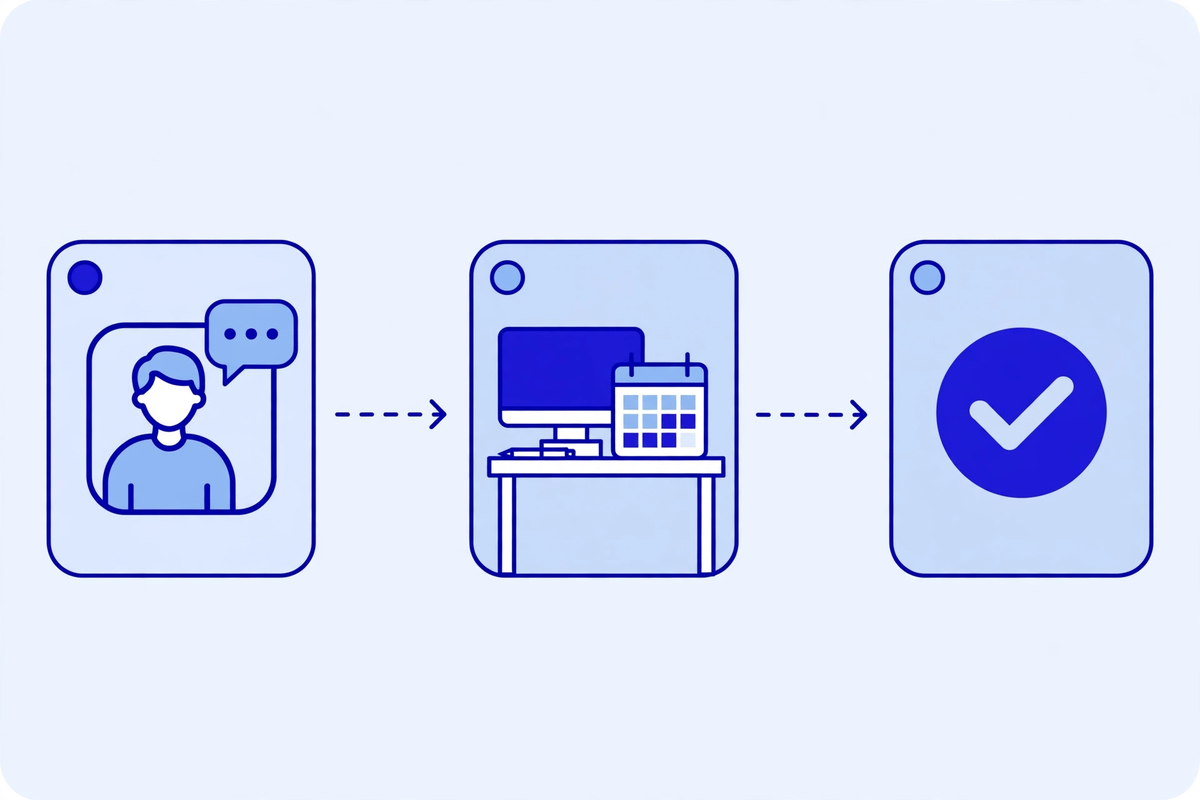
- Step 1, check at booking: when a service is ordered, check whether that payer and plan requires authorization, before the patient leaves with a date. If unclear, treat it as required until confirmed in writing.
- Step 2, confirm coverage and benefits: confirm eligibility, that the service is covered, and what the patient may owe. Note the reference number.
- Step 3, gather the clinical case: pull the diagnosis, procedure code, supporting notes, prior treatment tried, and ordering clinician. If a note is missing, ask now, not after the payer asks.
- Step 4, submit complete: send one complete request through the payer's preferred channel, and keep a copy of what was sent, with date and reference.
- Step 5, log it with an owner: every case gets a named owner, a backup, a due date from the payer's timeframe, and a status. No case lives only in one inbox.
- Step 6, chase on the clock: check pending cases weekly, sooner for urgent cases. If the payer asks for more, send it the same day and reset the clock in your log.
- Step 7, confirm before the visit: the day before, confirm the approval covers this patient, service, date, and visit count, and pass the number to billing.
One named owner per case is the change that most often turns this workflow into real results. Shared inboxes feel fair, but they let cases drift, because everyone assumes someone else checked. The owner need not do every step alone. They are simply the person who knows the status of that case at any moment, with a backup for holidays and sick days. In a small practice, one front-desk lead with a clinician contact for peer-to-peer calls is enough, if the list is reviewed weekly.
Submitting Complete the First Time

Payers deny or delay incomplete requests because they cannot judge medical necessity from half a record. Build one checklist per common service and use it before anything is sent. Collect the same details the same way every time, ideally through one digital intake flow, so staff are not retyping from paper forms and phone messages.
- Patient and plan details: full name, date of birth, member number, plan, and ordering clinician, checked against eligibility.
- Diagnosis code supported by the note: the code must match what the clinician documented, not the closest code that sounds right.
- Procedure or service code, including quantity, units, or visit count where the payer asks.
- Clinical notes: the visit note, relevant test results, and prior reports supporting the request.
- Prior treatment: what was tried, for how long, and what happened, where the payer requires a step-therapy or conservative-care history.
- Urgency: standard or expedited, with the clinical reason if you ask for a faster decision.
- What was sent and when: channel, reference number, and a copy, so an appeal never starts from guesswork.
For a peer-to-peer conversation, preparation is the whole game. The clinician should have the notes, test results, and the payer's stated reason in front of them, knowing exactly which point to dispute. Ask for the reviewer's name and role, note what was agreed, and write it into the case log the same day.
Tracking and Chasing Without Losing Cases

| Status | What to do | When |
|---|---|---|
| Submitted, awaiting decision | Confirm receipt and note the decision deadline | On submission, then at the weekly review |
| More information requested | Send exactly what was asked for, note the new date, and keep the original copy | Same working day |
| Approved | Check dates, visit count, and service match the booking, and pass the number to billing | On approval, and again the day before the visit |
| Denied | Read the specific reason, sort it as missing document, coding, or medical necessity, and start the appeal or correction | Same working day |
| Expiring soon | Contact the payer before the visit moves, and re-request or extend where allowed | At least one week before expiry |
| Visit moved | Recheck the approval against the new date before confirming | As soon as the date changes |
Keep the list short enough for one person to review in under an hour a week. Patient, payer, service, date submitted, decision due, status, owner, and next action is enough for most clinics. Review it at the same time each week, close decided cases, and carry forward only what is still open. Patterns show up there too: one payer repeatedly asking for the same document, or one service that always needs a peer-to-peer call. Fix the pattern, not just the case.
Phone time is easy to underestimate. Staff waiting in payer queues are not answering your own patients, which is one reason missed calls in medical practices and authorization work compete for the same hours. Batch payer calls where you can, use electronic channels where the payer supports them, and keep the patient-facing phone covered. Authorization work should not be paid for with missed bookings.
Denials and Appeals: Read the Reason First
Start every denial by reading the specific reason against what you actually sent. If the payer says a document is missing, check whether it was sent and, if it was, resubmit it with a note pointing to the original submission. If the code does not match, correct it only if the correction matches the clinical record. Never change a code to fit a payer rule when the record says something else.
Medical necessity denials need a different response. Gather the notes, test results, and prior treatment history that support the request, and write a short appeal that answers the payer's stated reason directly, point by point. A five-page letter repeating the whole chart is less persuasive than one page addressing the reason given. Note the appeal deadline when the denial arrives, because a strong appeal sent late is still late.
The scale of this work is not small. The American Medical Association's 2024 physician survey of 1,000 practicing physicians found an average of 39 prior authorization requests per physician per week, taking about 13 hours of physician and staff time, with 93 percent saying prior authorization delays patient care. If your clinic handles similar volume with no owner and no weekly review, those hours usually go to rework. Our telehealth reimbursement guide covers denial patterns from the billing side in more detail.
Automation and Electronic Prior Authorization: Useful, Not Magic
Electronic prior authorization can check whether a service needs authorization, pull the documentation requirements, submit the request, and return a status without retyping details into a portal. Where your system and the payer both support it, that removes real work and leaves a cleaner record, with the request, requirements, and decision in one place instead of across faxes, portals, and phone notes.
It does not fix a weak clinical case, a payer rule you have not read, or a note that does not support the diagnosis. Automation sends what you have, faster, so incomplete material gets a faster denial. Before buying any tool, ask how it handles exceptions: a payer with no electronic channel, a request needing a peer-to-peer call, and a denial needing a human-written appeal.
Any vendor that touches patient information here needs a business associate agreement before it handles a real case. The Department of Health and Human Services explains that a business associate agreement is required when a vendor creates, receives, or transmits patient information on your behalf. Ask any healthcare automation service you consider what it automates, what stays with your team, and how you see every case status without a second system. The aim is one workflow, not one more dashboard, and the same test applies to clinic workflow automation generally.
Traps That Look Like Progress
- Booking first and checking later, so the patient is given a date the clinic then has to move.
- Submitting fast instead of complete, and measuring submissions sent rather than approvals received.
- Keeping cases in personal inboxes, so holidays and sick days become lost cases.
- Appealing every denial the same way, instead of sorting by reason and fixing the cause.
- Assuming the 2026 federal rule covers every payer, and missing a commercial plan's timeline.
- Buying an electronic tool before writing the checklist, owner list, and weekly review it should support.
Where to Start: The First 30 Days
- Week one: pull last month's denials and delays, sort by cause, and name an owner and a backup.
- Week two: write one checklist for each of your five most common authorization services, and start checking at booking.
- Week three: build the status list, set the weekly review time, and confirm approvals the day before each visit.
- Week four: review patterns, fix the top cause, and ask your systems vendor which electronic channels your main payers support.
The Bottom Line
Prior authorization will not disappear, and no rule change removes the need for a careful submission. What a clinic can control is the workflow around it: check early, submit complete, track every case to a decision, and appeal with the reason in hand. That is the difference between a patient starting treatment on time and one waiting while staff chase paperwork. If you want help tightening that front end, see the demos or request a quote and talk through your current volume and worst denial pattern first.

Written by Chloe Vance
Healthcare Marketing DirectorChloe Vance has led search engine optimization and digital patient acquisition strategies for top pediatric, dental, and multi-specialty clinical chains.
Frequently Asked Questions
Common conversational queries evaluated by our natural language models concerning deployment guidelines.