
Key Takeaways
- ✓Patients ignore messages that look automated, come from unknown numbers, or bury the point. Clear sender, clear reason, clear reply path.
- ✓Two-way messaging beats one-way blasts. Patients should be able to reply and reach a person, not a dead end.
- ✓Standard texting is not built for protected health information. Use a platform with a signed BAA and proper safeguards.
- ✓Connect messaging to your schedule and EHR, or staff will copy information between systems all day.
- ✓Start with reminders and rescheduling, the two conversations patients already want to have by text.
Patients ignore your texts mostly because the messages look and sound like every other automated alert: an unknown number, a generic line, and a link that demands a portal login. Doctor-patient communication software fixes this when it sends clear messages from a recognizable number, lets patients reply in plain words, and routes that reply to the right staff member fast.
The goal is not to send more messages to more people. It is to move the short, routine conversations off the phone queue: confirming a visit, moving an appointment, answering a prep question, or sharing a result that is ready. Those are the calls that fill your morning and the questions patients would rather handle in two lines of text.
What Is Doctor-Patient Communication Software?
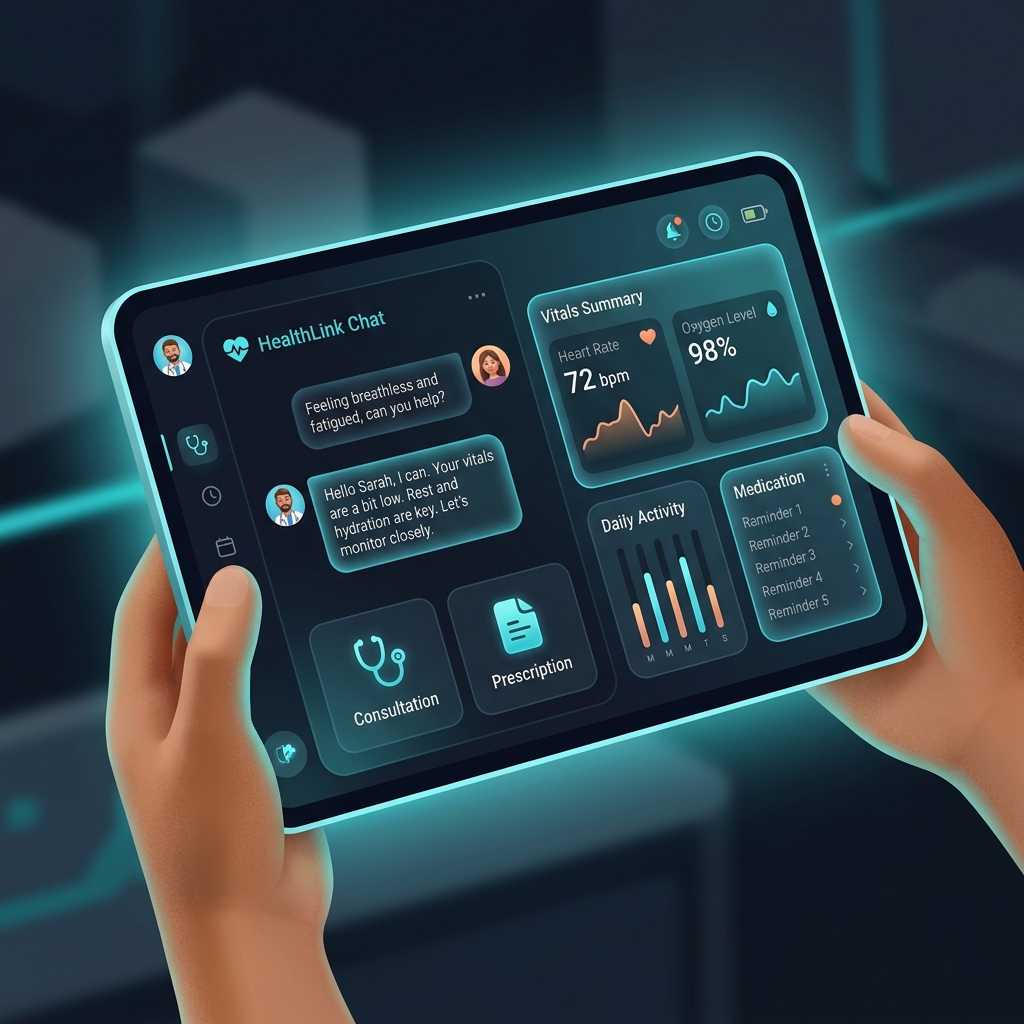
It is the platform your clinic uses to message patients outside the exam room: appointment reminders, two-way texting, secure messages for sensitive topics, visit instructions, and follow-up check-ins. Good platforms connect to your schedule and EHR so messages are triggered by real events and replies land in the patient record.
It sits alongside, not inside, your clinical tools. Your EHR holds the chart. Your communication platform holds the conversation, and the two should share information both ways. When they do not, staff end up reading a text in one window and typing a note in another, which is exactly the double work you were trying to remove. Pairing messaging with an AI medical receptionist can also cover the calls that still come in after hours.
- Appointment reminders with easy confirm or reschedule replies
- Two-way texting from your clinic's main number
- Secure messaging for topics that should not sit in plain text
- Pre-visit and post-visit instructions sent automatically
- Message history saved to the patient record
Why Your Messages Get Ignored
Start with the sender. A short code or an unfamiliar number reads as marketing, and patients have learned to swipe those away. Next, the message itself: if the first line does not name your clinic and the reason for the message, patients will not work to decode it. Finally, the ask: a link that leads to a login screen for a one-word answer kills most replies.
Timing plays a part too. A reminder sent once, three days ahead, is easy to miss. A reminder sent four times in a day trains patients to ignore you. And a message that arrives at 9 p.m. about a routine matter feels careless, even if a system sent it automatically. Patients judge the practice by these small signals.
- Unknown or short-code sender numbers
- No clinic name or reason in the first line
- Links that require a portal password for simple replies
- Too many reminders, or one reminder sent too early
- Messages that accept no reply at all
Features That Actually Matter
Two-way texting on your existing clinic number is the feature patients feel most. They can reply 'need to move Tuesday' and start a real exchange. Behind that, you need assignment and handoff tools, so a conversation can move from the front desk to a nurse without the patient repeating anything, plus templates your team can personalize instead of retyping common answers.
Integration decides whether the platform saves time or moves it around. Reminders should pull from the live schedule, cancellations should free the slot, and finished conversations should file to the chart. Ask vendors to show you that flow with your own appointment types, not a scripted demo. An AI patient portal that shares the same record keeps portal messages and texts from splitting into two histories.
| Channel | Best for | Main drawback |
|---|---|---|
| Phone calls | Complex or sensitive conversations | Slow, and patients often miss them |
| Portal messages | Documents and detailed clinical topics | Many patients rarely log in |
| Two-way texting | Reminders, scheduling, quick questions | Needs rules for sensitive content |

Texting and HIPAA: What to Know
Plain consumer texting was not designed for protected health information, and HHS guidance expects covered entities to use safeguards such as access controls, encryption where appropriate, and audit trails. In practice, that means choosing a healthcare messaging platform, signing a Business Associate Agreement, and setting clear rules for what staff may send by text versus a secure message link.
Keep routine logistics in text: times, directions, prep reminders, and links. Move clinical detail behind a secure link or into the portal. Train staff with examples, not just a policy document, and review a sample of conversations in your first month. Most problems come from habit, not intent, and habits are easier to fix early.
- Signed Business Associate Agreement with your messaging vendor
- Staff accounts with individual logins, never a shared password
- Clear rules for what belongs in text versus secure message
- Patient consent and an easy opt-out for text messages
- Conversation history retained in the patient record
How to Roll It Out Without Chaos
Start with one conversation type: appointment reminders with a real reply path. Tell patients at check-in and on your website that the clinic will text from its main number, and what you will and will not send. Run it for a few weeks, watch reply rates and staff handling time, then add rescheduling and post-visit instructions.
Give the inbox an owner per shift. Unassigned inboxes are where replies go to age. Set a simple standard, such as every patient reply answered within the business hour, and a short list of phrases that always go to a clinician instead of the front desk. Widening your healthcare automation later is easier once the basics run well, the same pattern we describe in our guide to the AI medical receptionist.

Mistakes to Avoid
The biggest mistake is blasting. Appointment reminders are welcome. A stream of promotions from the same number teaches patients to opt out of everything, including the reminders you need them to see. Keep marketing separate, infrequent, and clearly optional, or skip it on your clinical number entirely.
The second mistake is letting the platform become another island. If replies do not reach the schedule or the chart, staff will keep a shadow system in sticky notes and personal phones, which is worse for patients and for compliance. The third is silence after hours: an automatic reply that sets expectations and points urgent callers to the right number prevents most next-morning frustration.
Write like a person
Read each template out loud before you save it. If it sounds like a billing notice, rewrite it the way your best front desk person would say it on the phone.
A practical way to judge any platform is to run your own busiest morning through it. Take the ten most common calls your front desk received yesterday and ask the vendor to show, live, how each one would have gone as a message instead. If the demo handles nine of them cleanly and shows a sensible path for the tenth, you are looking at a tool that fits real clinic work rather than a script.
Next Steps for Your Practice
Audit your last month of outbound messages. How many named the clinic, allowed a reply, and led somewhere a patient could act without a password? That quick review usually explains your reply rate better than any benchmark. Then pick the platform and the first use case, and keep the rollout small enough to watch closely.
To see messaging working inside a full patient journey, try the demos, or request a quote with a note about your current phone and portal setup. We will show you how reminders, two-way texting, and after-hours coverage fit together for a practice your size.
Written by Marcus Rivera
Practice Management ConsultantMarcus Rivera advises mid-sized and large clinical networks on technology adoption, practice expansion, and digital patient acquisition strategies.
Frequently Asked Questions
Common conversational queries evaluated by our natural language models concerning deployment guidelines.