
Key Takeaways
- ✓Judge every feature by one test: can a patient finish the task alone, on a phone, without calling your front desk?
- ✓Scheduling and intake matter most: real availability, patient-completed changes, and intake that writes back to the record.
- ✓Results need plain context and a clear next step, and messaging needs a shared queue with a named owner and honest response times.
- ✓Billing and access decide return visits: a bill patients can understand and pay, plus sign-up and reset flows that actually work.
- ✓Run a five-task test on a real phone twice a year. The points where the tester wants to call are your fix list, in order.
The patient portal features that matter are the ones that let a patient finish a task without calling you: booking or moving an appointment, completing intake, seeing a result with a clear next step, messaging about a simple question, and paying a bill. If a portal demo spends its time on anything else first, it is showing you decoration, not value.
This is an evaluation guide, feature by feature. Use it to score the portal you have, or any portal you are considering, by what a patient can actually do in it on a phone, at night, without help from your front desk. For the other half of the picture, why patients log in or stay away, see our companion article on patient portal benefits.
Scheduling and Intake Features to Test First
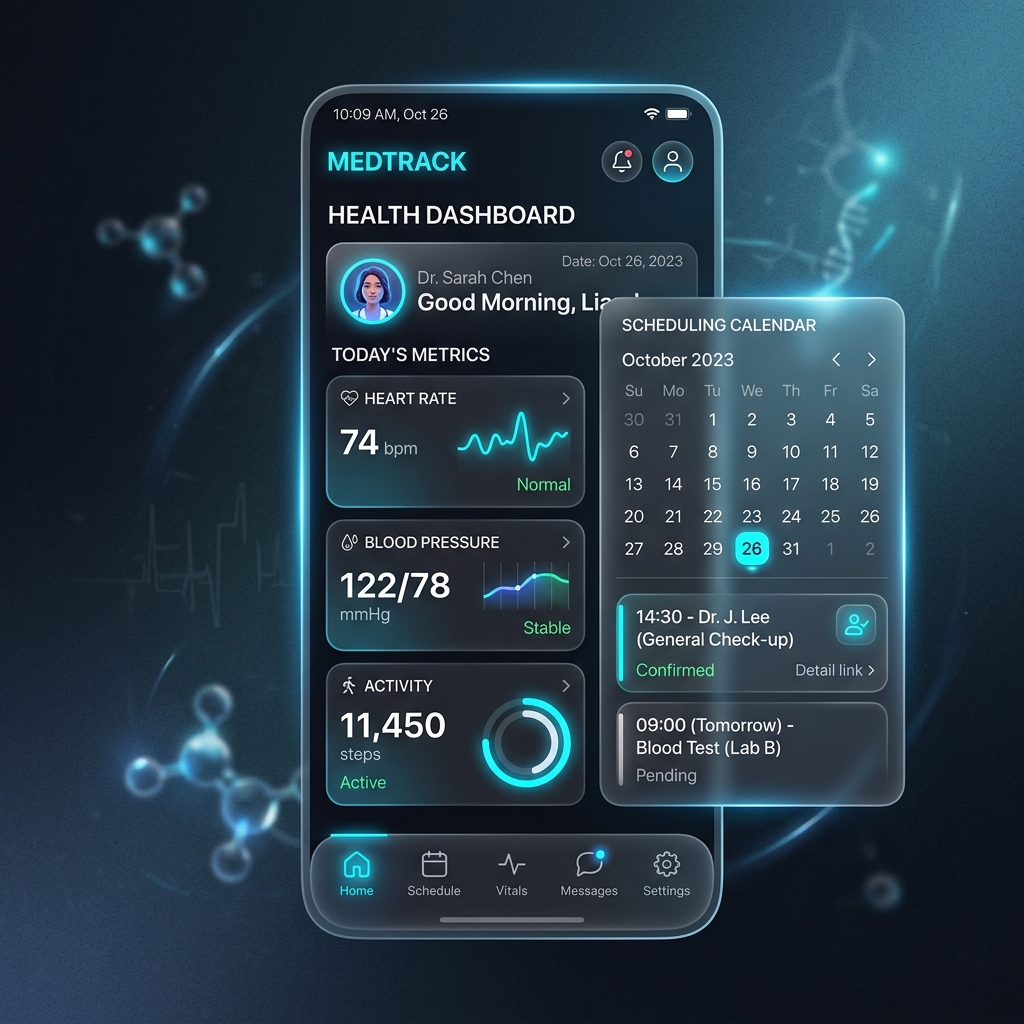
Start with the two jobs patients attempt most. Scheduling should show real availability from your record system, let the patient book, change, or cancel within rules you set, and send a confirmation and reminder without staff touching it. If the portal takes a request that a staff member still has to process by hand, be clear about that in your scoring. It is not the same feature.
Intake should save the patient time on the day and save your team retyping. Look for forms that remember returning patients, change by visit type, handle insurance details cleanly, and land in the record system rather than in a separate inbox. Picture a returning patient with a phone in a parking lot five minutes before a visit: can she finish what is left in that time? Test exactly that.
- Real availability shown from the schedule, not a request form dressed up as booking.
- Changes and cancellations the patient can complete within rules you control.
- Intake that pre-fills known details and writes back to the patient record.
- Insurance and consent steps that work from a phone camera and a few taps.
- Confirmations and reminders sent automatically, in the patient's language where needed.
Results, Messaging, and Visit Information
Results are where portals earn trust or lose it. A result should arrive with context a patient can understand: what was tested, what the value means in plain words where a clinician has approved that wording, and what happens next. A bare number with no next step sends patients to search engines and then to your phone lines, worried. Ask how results are released, who approves explanations, and how abnormal results are handled differently.
Messaging should be secure, routed, and honest about response times. Look for messages that reach a shared queue with an owner, not one person's inbox, and for clear wording about what messaging is not for, such as emergencies. Visit summaries, care instructions, and referral status belong in this area too: patients should be able to find what was decided at their last visit without calling to ask. Clinics comparing builds can see how these pieces fit together in patient portal development.

Billing, Access, and Family Use
Billing features are judged on one thing: can a patient understand and pay a bill without calling? Look for a clear statement that shows what insurance covered, what the patient owes and why, and a payment path that works on a phone. Confusing statements are a common reason patients avoid the portal entirely, because the portal becomes the place where a stressful bill lives.
Access features decide who can get in at all. That includes a sign-up a patient can finish without a staff-issued code read over the phone, a password reset that works, support for larger text and screen readers, and careful handling of family access. Parents booking for children and adults helping an older parent are normal cases, not edge cases, and the rules for who sees what must follow your policies and applicable law. Ask a vendor to show you each of these flows, not describe them. Those sign-in and registration pages deserve a privacy check of their own, because authenticated pages are exactly where tracking tools create the most risk. Our guide to website security and patient privacy practices explains where that boundary falls.
| Feature area | What good looks like | Red flag |
|---|---|---|
| Scheduling | Real availability, patient completes changes | Request-only booking staff must re-enter |
| Results | Plain context and a clear next step | Bare values with no guidance |
| Messaging | Shared queue with a named owner | Messages land in one person's inbox |
| Billing | Clear patient balance and phone payment | Statement that needs a call to explain |
| Access | Self sign-up and working reset | Codes that only staff can issue |
The Features Patients Never See but Always Feel
Some of the most important portal qualities are not on the patient screen at all. The connection to your record system decides whether appointments, results, and forms are current or stale. Audit logs, role-based access, and session controls decide whether patient information is handled as the HIPAA Security Rule expects. Uptime and loading speed on ordinary phones decide whether the portal feels dependable.
Ask about these directly during any evaluation of an AI patient portal or a smart dental portal: How fresh is the data a patient sees? What happens when the record system is down? Who can see what, and is that logged? Vendors who answer plainly here are usually the ones who have operated a portal in a real clinic, not only demonstrated one.
Score tasks, not features
For each area in this guide, write down one patient task and time it on a phone. A portal that completes your five most common tasks quickly beats a longer feature list every time.
A Short Evaluation You Can Run This Week
You do not need a formal procurement process to learn a lot. Create a test patient account, or ask a willing staff member's family member to try, and run five tasks: book, move an appointment, finish intake, find a result and its next step, and pay or question a bill. Note every point where the tester wanted to give up and call. Those points are your improvement list, in the right order.
Repeat the same test after any major change, and keep the notes. Portal quality drifts as schedules, forms, and record systems change, and a short test twice a year catches problems before patients report them by simply going back to the phone. If your test shows the portal cannot be fixed with settings and content alone, that is the moment to price a replacement with your task results in hand.

Keep your scoring notes with the date and the tester who ran them. When a vendor, a partner, or a new operations manager questions a portal decision six months later, those dated task results answer the question calmly, and they show whether the change you paid for actually made a patient's evening easier or only made a demonstration look better.
One decision sits underneath every score in this guide: where the portal comes from. The quickest route is the portal bundled with your record system. The data connection already exists, so launch is fast, but you take the sign-up flow, the screens, and the improvement roadmap the vendor ships, and changes arrive on their schedule, not yours.
A standalone portal product gives you more say over branding and patient flows, at the cost of another vendor to manage and an integration to keep healthy. The third route is a portal built around your own workflows, where intake, scheduling rules, and messaging match how your clinic actually works. That is the deepest fit, and it is what a patient portal development service is for, but it is a project you scope and own, not a switch you flip. Decide by asking which your practice needs more this year: launching quickly, or owning the experience outright.
Your Next Step
Run the five-task test before your next portal conversation with anyone, including us. Then look at our demos and try the same tasks there, so you have a fair comparison. If you want help scoring your current portal or scoping a better one, request a quote and bring your test notes. They are the best starting document a portal project can have.
Written by Dr. Sarah Jenkins
Chief Medical AI OfficerDr. Sarah Jenkins is a clinical informaticist with over 12 years of experience integrating healthcare records (EHR) with computational models. She leads the AI clinical validation team at Med Clinic X.
Frequently Asked Questions
Common conversational queries evaluated by our natural language models concerning deployment guidelines.