
Key Takeaways
- ✓Put booking first: a visible booking or request step on every page beats a beautiful homepage that makes visitors hunt for it.
- ✓Give each main treatment its own plain-language page: what it is, who it suits, what the visit involves, and what to do next.
- ✓Show real work with real consent: galleries and reviews build trust only when they are genuine, labelled honestly, and never borrowed from elsewhere.
- ✓Answer the money question in plain words: which plans you accept, what happens when a plan is not listed, and how patients can check before they arrive.
- ✓Keep patient details out of website forms until the form, the vendor, and the agreement behind them are safe: a signed business associate agreement comes first.
A dental practice website turns visitors into booked patients when it does four things in order: it shows the visitor they are in the right place, it answers the question that brought them there, it makes booking the obvious next step, and it gives them a reason to trust the practice before they pick up the phone. Most dental sites fail at step three. They describe the practice at length, bury the phone number in a footer, and offer a contact form that nobody answers until Monday. The visitor, who may be in pain or comparing two practices late at night, simply moves on to the next result.
This article is about dental practices specifically. General website advice is covered in our guides to medical website design best practices and healthcare website development cost. What follows is the dental layer on top of that advice: the visit types, galleries, insurance questions and review habits that are particular to dentistry, and the mistakes that cost dental practices bookings even when the design looks fine.
The Short Answer
If you change nothing else, change this: put a booking step where visitors can see it without scrolling or searching, on the homepage and on every services page. Then make sure the step works at 9pm, when your front desk is closed and a new patient is deciding between you and the practice down the road. Everything else in this article supports that step. A services page that does not end in booking is a dead end. A gallery with no booking link next to it is decoration. A reviews page that visitors love but cannot act on is a missed appointment.
- One clear booking step, visible on every page, that works outside office hours.
- A phone number that is easy to find for visitors who would rather call, especially for pain and emergencies.
- A services page for each main treatment, written in plain words, ending in the same booking step.
- Honest proof: real patient photos with consent, real reviews, and a real team, not borrowed imagery.
- An insurance page that answers the money question before the first phone call.
The First-Minute Test
Open your homepage and pretend you have never seen the practice before. Within a minute, can you answer these questions: where is the practice, what treatments does it offer, does it take new patients, and how do you book? If any answer takes more than one click, or lives only in a menu label a visitor would not guess, fix that first. Visitors rarely read a homepage from top to bottom. They scan for their own problem, their own area, and a way forward. A headline that says the practice name and nothing else wastes the best screen space on the site.
The test is even stricter on a phone, where most dental searches now happen. A phone number that cannot be tapped, a booking button that sits below three screens of text, or a menu that hides services behind a generic label will all lose bookings that the desktop site keeps. Check the site on a real phone, not just in a desktop browser window made narrow. Try to book a cleaning as a new patient, find the price or insurance information, and find the address and parking notes. Note every place you get stuck: those are the places your visitors get stuck too.
Booking Is the Step That Matters Most
Dental booking is not one action. A new patient booking a cleaning, a parent booking two children, an existing patient with a broken tooth, and a patient asking about implants all need different paths, and a single generic form serves none of them well. The booking step should start by asking what kind of visit it is, then show only the questions that visit needs. New patients need a few extra questions. Emergencies need a phone path and a same-day note, not a form that promises a reply within two working days. Implants and orthodontics usually need a consultation step first, and the site should say so plainly rather than letting someone book a treatment visit that cannot happen.

Online booking and a request form are not the same promise, and the site must not confuse them. Online booking means the patient picks a real slot and leaves with a confirmed appointment. A request form means the practice will reply, and the site should say when: same day, next working day, or whatever the practice can actually keep. A form that says nothing about reply time sets up a disappointed patient and a wasted lead. After-hours coverage matters here too: our guide to AI receptionist support for dental practices explains how calls and booking requests outside office hours can still be answered and booked, so the site is not the only thing working at night.
- Ask the visit type first, then show only the questions that visit needs.
- Keep emergencies on a phone path with a same-day note, never a slow form.
- Say honestly whether the patient is booking a confirmed slot or sending a request, and when a request will be answered.
- Let patients reschedule and cancel from the confirmation message, without calling.
- Send a reminder that names the visit, the clinician, and the address, and gives a simple way to change it.
Services Pages That Answer Real Questions
A services menu that lists twenty treatments on one page answers nobody. Each main treatment deserves its own page, written the way a patient asks about it: what is it, who is it for, what happens at the visit, how many visits does it usually take, what does recovery or aftercare look like, and what should I do next? A crown page that explains the two-visit shape of the treatment, in plain words, will book better than a page that lists crown materials a patient has never heard of. An orthodontics page should explain who needs an assessment first and what the assessment covers, because that is the question parents actually ask.
Write for the anxious visitor as well as the confident one. Many dental patients arrive with a fear of pain, a bad past experience, or embarrassment about how long it has been since their last visit. A short, kind paragraph that says what the practice does to help nervous patients, and that new patients will not be judged for the state of their teeth, does more work than a page of equipment lists. Keep clinical detail accurate and modest: describe what the practice does, not what every dentist everywhere does, and never promise an outcome for a named treatment. The page should end where every page ends: the booking step, for that treatment.
Before-and-After Galleries Done Honestly
For cosmetic and restorative dentistry, galleries are often the page that decides the booking. They are also the page most likely to damage trust if handled carelessly. Use only real patients of the practice, with written consent that covers website use specifically, and say on the page that the photos show real patients. Do not present stock photography as patient work, and do not crop or light photos in a way that makes the result look better than it was. A gallery that a visitor later discovers is borrowed will undo every other trust signal on the site.
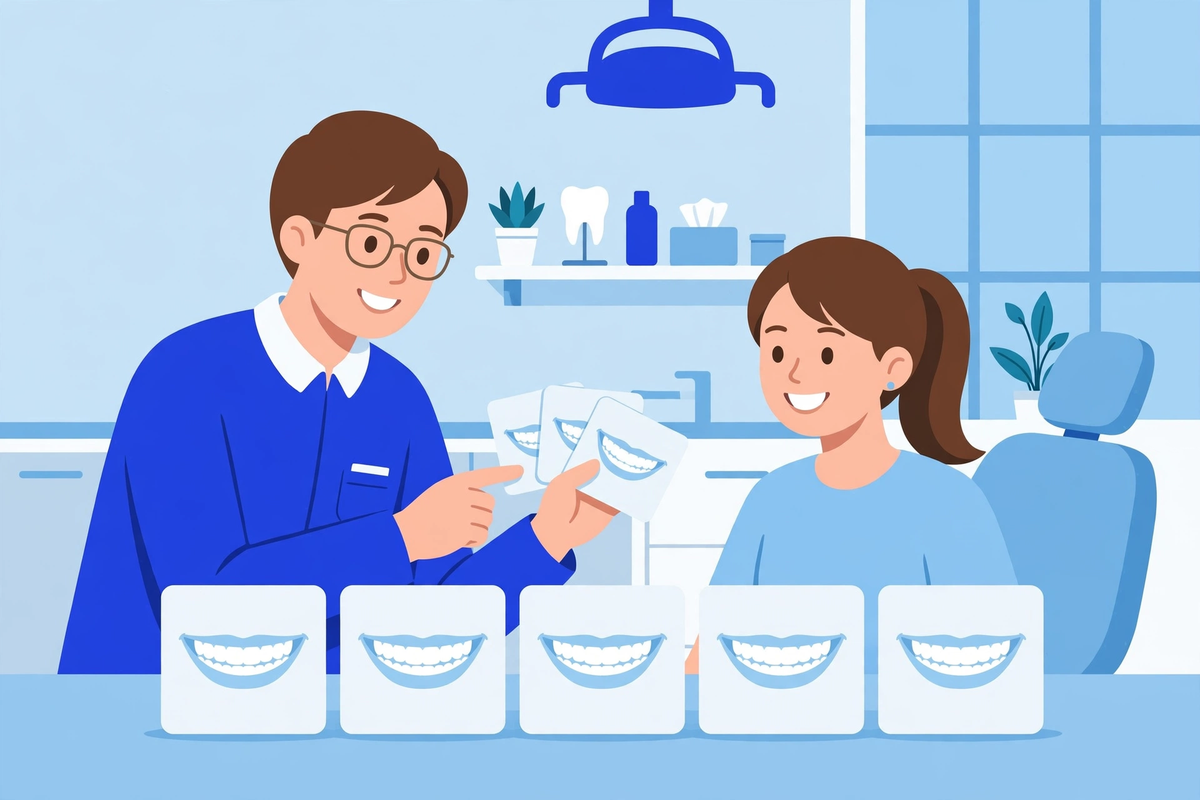
Label each case honestly: the treatment, roughly how many visits it took, and what the patient came in with, in general terms. Avoid before-and-after pairs that imply a guaranteed result, and avoid showing a single dramatic case as if it were typical. If the practice has few cases to show, show few cases well, with a short note from the patient where consent covers it, rather than filling the page with borrowed images. A small honest gallery beats a large invented one, and it gives the practice something real to build on as more patients agree to share their results.
Insurance and Cost Pages That Stop Phone Calls
The most common phone question a dental practice gets is about money: do you take my plan, and what will this cost me? A site that answers neither question forces every visitor to call, including visitors who would rather book online and visitors who call only to find out the answer is no. List the plans the practice accepts, in plain names, and keep the list current: an out-of-date list creates the exact bad first visit the page exists to prevent. For visitors whose plan is not listed, say what to do next: call with the plan name, or send the plan details through the contact step, and what the practice will check for them.
Treatment prices are harder, because the honest price of a crown, an implant, or orthodontics depends on the patient's mouth, not on a menu. The site should say that plainly, explain what affects the price in general terms, and offer a consultation or assessment as the step that produces a personal price. Practices that run a membership or in-house savings plan for uninsured patients should describe it in the same plain terms: what it covers, what it costs per month or year, and what it does not cover. Guessing at a price on the site, or quoting a starting price that almost nobody pays, creates a disappointed patient at the front desk and a review that says the practice misled them.
Reviews and Trust Signals
Reviews are the closest thing a dental site has to a waiting-room recommendation, and visitors read them before they read your services pages. Show real reviews, with the reviewer's first name and the platform they came from, and link out to the full review profile so visitors can check for themselves. A page that shows only five-star quotes with no source and no link reads as marketing, not proof. Keep the review profiles themselves in good shape too: reply to reviews, thank patients who praise the practice, and answer complaints calmly and without discussing any patient's treatment in public.

The team page matters as much as the reviews page. Visitors want to know who will treat them, and a team page with real photos, real names, and a sentence or two about each clinician's focus beats a page of anonymous stock portraits. The same rule applies to the practice itself: real photos of the waiting room and treatment rooms, the address, parking notes, and languages spoken. A visitor choosing between two practices will pick the one that feels like a real place with real people, and a site full of borrowed images feels like neither.
One Page per Location, One Page per Service
A practice with more than one location needs a page for each location, not one contact page that lists them all. Each location page should carry its own address, hours, phone number, parking and public transport notes, and booking step, because a visitor searching for a dentist in one neighbourhood does not want to work out which of three addresses is theirs. The same logic applies to services: one page per main treatment, each ending in booking, rather than one long page that tries to cover everything. This structure also helps the practice show up for the searches patients actually type, which are usually a treatment plus a place, not a practice name.
What a Dental Website Must Not Do
| Trap | What visitors experience | Fix it with |
|---|---|---|
| Phone number hidden in a footer | A visitor in pain cannot call quickly and leaves | A tap-to-call number in the header on every page |
| Stock photos shown as patients | Trust collapses when the borrowing is noticed | Real photos with written consent, labelled as real patients |
| Guaranteed results promised | A disappointed patient and a complaint that quotes the site | Honest descriptions of what treatment involves, no outcome promises |
| A form that diagnoses by checkbox | A patient triaged wrongly before anyone qualified sees them | Simple request forms plus a phone path for pain and swelling |
| Booking that leads nowhere | A request nobody answers until Monday | A stated reply time the practice can keep, and after-hours cover |
Two traps deserve a special note. First, never let a website form ask patients to describe symptoms in detail and then treat the form as triage: a form can collect a request, but only a qualified clinician, by phone or in person, should judge urgency. Second, never publish a patient's photo, review, or story without consent that names the website: a patient who agreed to an in-office display has not agreed to the internet. Both mistakes are easy to make when a site is built quickly, and both are hard to undo once the content is live.
Forms, Privacy, and the Agreement Behind Them
The moment a website form collects a name together with a health detail, an appointment reason, or an insurance number, the practice is handling protected health information, and the form vendor becomes part of that responsibility. Before any such form goes live, the practice needs a signed business associate agreement with the vendor, covering safeguards, breach reporting, and what happens to the data when the agreement ends. The US Department of Health and Human Services publishes sample business associate agreement provisions that show what the agreement must cover. A form that sends patient details to a personal email inbox, or to a vendor with no agreement in place, is not a booking tool: it is a privacy problem waiting for a complaint.
Keep forms short on purpose. A booking or contact form should ask for a name, a way to reply, the visit type, and a preferred time, and nothing more. Long forms that ask for medical histories, medication lists, or insurance numbers before the patient has even booked will lose bookings and collect sensitive details the practice does not yet need. Detailed intake belongs in the practice's own patient portal, after booking, where the smart dental portal can handle it properly. The website's job is to get the patient booked. The portal's job is to collect the rest.
Measuring Whether the Site Works
A dental website is working when it produces booked appointments, not when it looks good in a presentation. Once a month, check four numbers: how many booking requests and online bookings came through the site, how many of those became kept appointments, how many calls came from the site's phone number, and which pages visitors left from. If a services page gets visits but no bookings, the page or its booking step is the problem, not the traffic. If booking requests pile up unanswered, the reply process is the problem, not the site. Fix one thing at a time, in that order, and check the numbers again next month.
- Booked appointments from the site, not just visits or form submissions.
- Reply time on booking requests, measured against the time the site promises.
- Calls from the site's number, including calls outside office hours.
- The pages visitors leave from, checked monthly, one fix at a time.
If the site needs rebuilding, start from the booking step and work outward: booking, then services pages, then galleries, insurance and reviews, in that order. A practice that rebuilds the homepage first and leaves a broken booking step in place has spent its budget on the part visitors care about least. And if the rebuild is part of a wider website project, our healthcare websites service and the cost guide linked above explain what drives the price, so the practice can judge quotes on the work described here rather than on page counts. For the dental-specific version of this work, treatment pages, booking and a patient portal in one build, see our dental website design service. To see how a dental site, portal and booking flow can fit together, explore the demos, or request a quote for the practice's own site.
Written by Chloe Vance
Healthcare Marketing DirectorChloe Vance has led search engine optimization and digital patient acquisition strategies for top pediatric, dental, and multi-specialty clinical chains.
Frequently Asked Questions
Common conversational queries evaluated by our natural language models concerning deployment guidelines.