Key Takeaways
- ✓Texting works for short, action-based jobs, confirmations, reminders, recalls and simple questions, and fails for clinical or sensitive conversations, which belong on a call or in the portal.
- ✓Set the ground rules first: recorded permission for appointment messages, marketing kept separate, opt-outs honoured immediately, and no clinical detail in the message body.
- ✓A reminder earns its place when it invites a reply and someone owns that reply, a confirmation, early reminder and final reminder, backed by a staffed two-way inbox.
- ✓Specific, no-blame recall texts with a one-tap booking step fill gaps. Stop every sequence the moment the patient books, replies or declines.
- ✓Measure outcomes, not volume: confirmation rates, refilled slots, recall bookings, reply times and opt-outs, on top of clean, current mobile number data.
Text messaging is the channel patients actually read, and the one clinics most often use badly. A reminder that arrives from an unknown number, with no clinic name and no way to reply, teaches patients to ignore the next one. A recall text that sounds like a marketing blast, sent to someone who never agreed to marketing messages, creates complaints instead of bookings. Yet the same channel, used with consent, clear wording and a real person or system ready to answer replies, quietly becomes the most reliable way to confirm appointments, fill gaps and keep patients in care.
This guide sets out how to text patients the right way, in the order a clinic should build it: the ground rules for consent and privacy first, then reminders, recalls and two-way conversations, then the writing and workflow details that decide whether patients answer. It builds on the patient recall and reactivation guide, which covers how to build and prioritise the overdue list itself. Here the focus is the messaging channel that reaches those patients. Nothing in this guide is legal advice. Treat the compliance sections as operational good practice to confirm against your own policies and advisers.
Why Texting Works for Clinics, and Where It Falls Short
Texting suits the jobs clinics need done most often because those jobs are short, time-sensitive and action-based: confirm tomorrow's appointment, reply to move it, tap a link to complete a form, answer a question about parking or preparation. Patients carry their phones into every other part of the day, so a brief message reaches them where a phone call goes to voicemail and an email waits for an evening inbox check. A text also leaves a written record the patient can re-read, the time, the address, the preparation instruction, instead of relying on what they half-heard on a call.
The limits matter just as much. Text is a poor channel for anything long, sensitive or clinical: results, detailed treatment discussions, bad news, or forms that need careful reading belong in a call or in your secure AI patient portal, not in a message thread. Texts are also easy to overuse. Every low-value message trains patients to treat your number as noise, which quietly destroys the value of the reminders you genuinely need them to read. The discipline of this guide is therefore simple: fewer, better messages, each with one clear purpose and one easy next step.
- Use texting for: confirmations, reminders, schedule changes, recall invitations, check-in instructions and short administrative questions.
- Use a call or the portal for: clinical detail, results, complex explanations, distressed patients and anything a patient must read carefully.
- Never use texting for: marketing blasts to patients who have not agreed to them, or messages that pressure patients about payment or attendance.
Consent, Opt-Outs and Privacy: The Ground Rules
Before any template or tool, settle who you may text, about what, and how they can stop it. In general terms, clinics should collect a mobile number together with clear permission to use it for appointment and care-related messages, record that permission in the patient record, and keep marketing-style messages separate. A patient who agreed to reminders has not automatically agreed to promotions. Capture the permission where patients already give you details, such as registration and the online patient registration and digital intake flow, and state plainly what kinds of messages they will receive.
Honour opt-outs immediately and completely. Every messaging programme needs a simple way to stop messages, staff who know how it works, and a system that actually suppresses the number afterwards. An opt-out recorded in a notebook while the platform keeps sending is worse than no opt-out at all. When a patient opts out of texts, note their preferred alternative channel so reminders can move to email or calls rather than stopping altogether, because the clinical need for the reminder has not disappeared just because the channel has.
Keep clinical detail out of the text itself
A text message can be read on a lock screen by anyone holding the phone. Keep message bodies administrative, that an appointment exists, when it is, and how to change it, and route anything clinical to a call or your secure portal. If a patient starts a clinical conversation by text, acknowledge it warmly and move it: 'Thanks for telling us, this needs the clinical team, so we will call you / please message us in the portal.'
Privacy habits complete the ground rules. Send from a consistent, identifiable practice number, include the practice name in messages so patients know who is writing, and make sure only authorised staff and systems can see message threads. Review who has access when team members leave, just as you would for any other system holding patient information. These are general operational practices, not a substitute for your own compliance review. Messaging rules and healthcare privacy requirements vary, and your practice remains responsible for confirming its setup with qualified advice.
Appointment Reminders That Patients Act On
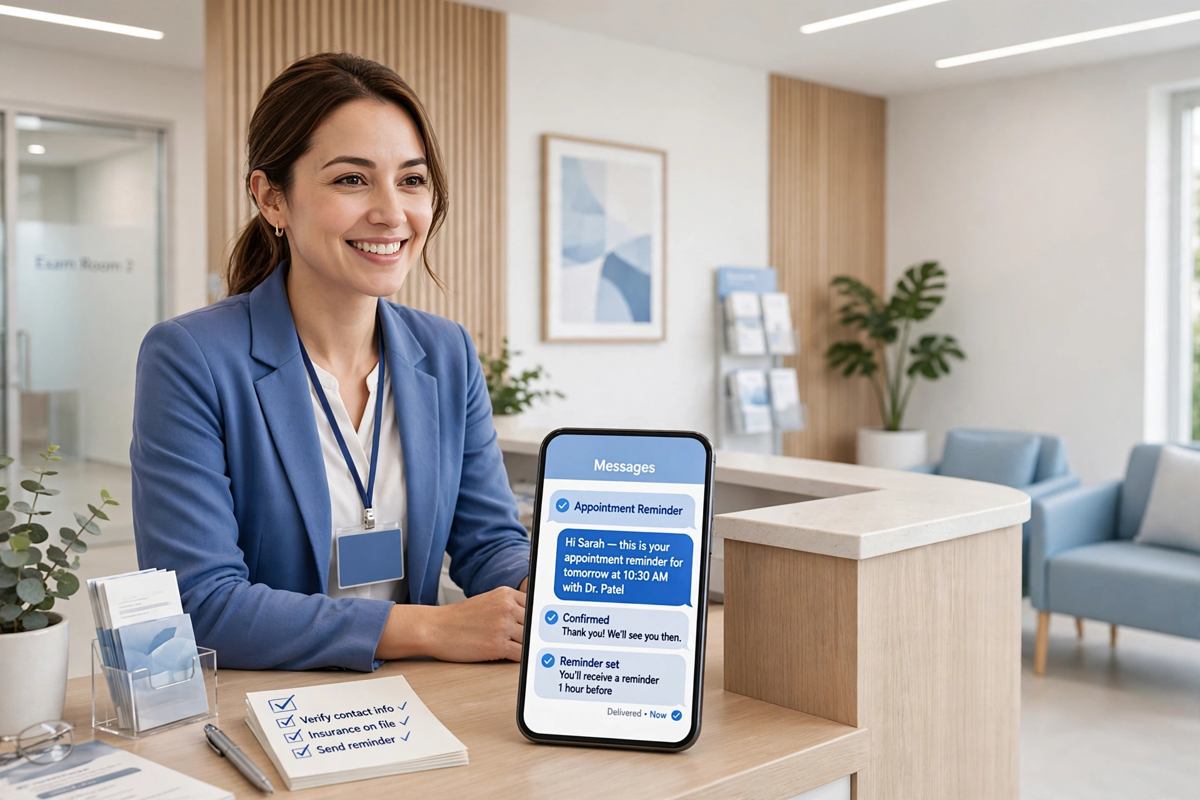
A good reminder sequence is short, timed to decisions patients actually face, and built around a reply. A workable pattern for most clinics is a confirmation at booking, one reminder far enough ahead that a patient who cannot attend can release the slot in time for someone else to use it, and one short reminder close to the appointment with the practical details: time, location, what to bring and how to get help if they are running late. More touches than that usually adds irritation rather than attendance, especially for routine appointments patients already intend to keep.
The reply is the point. Every reminder should invite and handle an answer: confirm, reschedule or ask a question. That means the sequence needs an owner, a two-way messaging inbox staffed during opening hours, backed by an AI medical receptionist that can handle confirmations and simple rescheduling requests outside them. A reminder that says 'please reply' into an inbox nobody checks until Friday teaches patients that replying is pointless, and they will stop doing it precisely when you need them to tell you they cannot come.
| Message | Timing | What it must contain |
|---|---|---|
| Booking confirmation | Immediately after booking | Practice name, date and time, location, and how to change the appointment |
| Early reminder | Several days ahead | A genuine chance to confirm or reschedule while the slot can still be re-used |
| Final reminder | The day before or morning of | Time, address or floor, parking or arrival notes, and what to bring |
| Same-day update | Only when something changes | The specific change, delay, room, clinician, and what the patient should do |
| Post-visit follow-up | Shortly after the visit | Any agreed next step, review or recall date, and how to reach the team |
Write each reminder for the patient who is busy, distracted and reading one-handed. Put the appointment time early in the message, keep one message to one job, and end with the action: 'Reply C to confirm or R to reschedule' is clearer than a paragraph of goodwill. If a preparation step matters, fasting, bringing a referral, completing a form beforehand, link to it rather than squeezing instructions into the text, and make sure the linked page works well on a phone.
Recall and Reactivation Texts That Fill Gaps
Recall texts follow the same rules as the wider recall programme: specific, honest and free of blame. Name the thing that is due, the review, the hygiene visit, the follow-up the clinician asked for, rather than sending a generic 'it is time for your check-up' to everyone. Offer an easy route back: a direct booking link for that appointment type, or an invitation to reply so the team can offer times. A patient who has to phone during working hours and queue to rebook a routine review will postpone the task, and postponed recall tasks quietly become next year's overdue list.
Sequence recalls gently and stop on any signal. A practical pattern is an initial text, one follow-up on a second channel such as email or the portal if there is no reply, and a final personal attempt before the patient rests on a lower-frequency list. Stop the moment the patient books, replies or declines, and log every touch in the record. Never let an automated sequence keep firing at someone who already has the appointment in the diary. Few things damage trust in a clinic's competence faster, and patients mention it in reviews.
Timing can do quiet work for you. Send recall batches when you have real capacity to offer, so the message can honestly reference near-term availability, and avoid moments when your team cannot answer the replies you are inviting. A recall text promises a conversation is open. Only send it when someone, or a well-configured system, is ready to hold up the other end the same day.
Two-Way Messaging: A Workflow, Not an Inbox Nobody Owns
Two-way messaging succeeds or fails as a workflow. Replies arrive in bursts, after a reminder batch, at lunchtime, in the first hour after opening, and each one is a patient mid-task who will phone instead, or give up, if the answer takes a day. Assign the inbox like any other front-desk duty: named owner per shift, a target response rhythm during opening hours, and clear rules for what the desk answers directly, what it routes to a clinician, and what it converts into a call because text is the wrong medium for it.
- Confirmations and simple rescheduling: handle in the thread, confirm the new time in writing, update the schedule immediately.
- Administrative questions, hours, parking, forms, what to bring: answer briefly and link to the detail rather than typing it out.
- Clinical questions or symptoms: acknowledge, do not advise by text, and route to the clinical team for a call or portal message.
- Complaints or distress: move to a phone call with a named person the same day. Never debate by text.
- Anything urgent-sounding: treat as urgent, call the patient. Do not let it wait in a queue.
Give staff short, human starting points for common replies rather than rigid scripts, and review real threads together in training: where did a reply sound cold, where did a thread run long when a call would have settled it in a minute, where did a patient tell you something that should have been captured in the record? Connect the inbox to the rest of the front desk so a text conversation, a portal message and a phone call about the same appointment read as one story. Patients experience them as one conversation with your practice, and your systems should let staff see it that way too.
Writing Messages Patients Actually Answer
Patients answer messages that are easy to answer. Four habits do most of the work. First, identify yourself every time: practice name first, not buried after the request. Second, be specific: the patient's first name, the appointment or item that is due, and the clinician they usually see where that is relevant. Third, ask one question or offer one action per message. A text that asks the patient to confirm, complete a form and update their details will get none of the three done reliably. Fourth, make the reply effortless: a single letter, a tap on a booking link, or a plain 'reply YES' beats 'please contact the office at your convenience during opening hours'.
Tone carries further in text than clinics expect, because there is no voice to soften it. Short is good. Curt is not. Read every template aloud, if it sounds like a parking fine, rewrite it. Avoid blame words ('failed to attend', 'you have not responded') and false urgency you cannot honour, and sign off as the practice team, in the same style your front desk uses on the phone.
The one-action test
Before approving any template, ask: what single thing should the patient do after reading this, and can they do it within ten seconds of opening the message? If the answer needs a phone call during office hours, a form they have not been sent, or a decision they cannot make yet, the message is not ready. Simplify it until the next step is obvious and immediate.
Finally, test templates on real behaviour, not opinions. Send each new wording to a modest batch first, watch reply and booking rates alongside complaints and opt-outs, and keep the version that earns action without costing goodwill. Small wording changes, moving the time to the front, naming the clinician, shortening the ask, routinely matter more than any new tool. Your templates are a clinical-operations asset. Version them, date them and review them like one.
Measure the Programme and Keep It Healthy
Measure texting by outcomes, not volume. The numbers that matter are confirmation rates, how many released slots get refilled, recall replies that become bookings, response times to patient replies, and opt-outs or complaints per batch. A rising message count with flat bookings means you are producing noise. A modest count with fast replies and filled gaps means the programme is working. Review the figures alongside the schedule itself. The point of reminders and recalls is a fuller, calmer diary, and that is where success should be visible.
Keep the underlying data healthy, or every metric degrades for reasons that look like message problems. Collect mobile numbers carefully at registration, confirm them at check-in, and capture channel preferences in the record. When a patient changes their number and the platform keeps texting the old one, the failure is data hygiene, not copywriting. Fix the handover between systems.
Start small and earn the right to expand. Launch with confirmations and reminders for one clinic or one clinician's list, staff the inbox properly, review the first weeks of threads with the team, and only then add recalls and wider two-way use. If you would like the messaging, booking and portal pieces to work as one system rather than three, you can explore a demo of how MedClinicX connects them, or get a quote for your current setup. Either way, the habits in this guide, consent first, one clear action, a staffed reply route and honest measurement, are what make texting an asset instead of another ignored channel.
Written by Chloe Vance
Healthcare Marketing DirectorChloe Vance has led search engine optimization and digital patient acquisition strategies for top pediatric, dental, and multi-specialty clinical chains.
Frequently Asked Questions
Common conversational queries evaluated by our natural language models concerning deployment guidelines.