Key Takeaways
- ✓Redesigns rarely lose rankings to the new design. They lose them to changed URLs, deleted pages, missing redirects, and staging settings leaking onto the live site.
- ✓Inventory first: crawl the current site, mark the pages that earn traffic, enquiries and external links, and treat that list as protected.
- ✓Keep URLs wherever possible. Every changed address gets one permanent, one-to-one redirect, no chains, and never a blanket redirect to the homepage.
- ✓Protected pages keep their substance: headings, titles and the content that ranks are carried over deliberately, and staging stays private with its blocks removed at launch.
- ✓Expect some settling while Google recrawls. Monitor coverage and missing-page errors, fix leaks fast, and distrust anyone who guarantees zero movement.
Your website is dated. The design belongs to another decade, updating it is a chore, and on a phone it feels like hard work. A redesign is overdue, and yet the site ranks. It brings in a steady share of your new patients. So the redesign keeps getting postponed, because everyone has heard the other story: the practice that relaunched, looked wonderful, and watched its enquiries fall off a cliff.
Here is the reassuring truth inside that story: when a redesign loses rankings, the new design is almost never the cause. Rankings are lost in the plumbing, addresses changed, pages deleted, redirects forgotten, a setting from the test site left switched on. Every one of those is a process failure, and process failures are preventable. This article is the process, and it is the same discipline whether your redesign is a visual refresh on the same platform or a full rebuild. If you are still deciding what the new site should look like, our guide to medical website design best practices covers what patients judge. Here, the job is protecting what you have already earned.
Why Redesigns Actually Lose Rankings
Google does not rank your website. It ranks individual pages, at individual addresses, for the words those pages contain and the links that point at them. A redesign that changes the addresses, removes the words, or breaks the paths quietly deletes the very things being ranked, and then expresses surprise when they stop ranking.
The recurring causes are always the same four. URLs change, because the new platform or a tidy-minded restructure renames pages and nobody maps the old addresses to the new ones. Pages disappear in a cleanup that deletes service pages, location pages and older articles nobody remembered were earning visits. Content thins out, because the new design has room for three lines where the old page carried the detailed text that ranked. And staging mistakes: the test copy of the site gets indexed instead of the real one, or the block that kept the test site hidden travels with it at launch and hides the real site too. Notice that none of these require a bad designer. They require only a missing checklist.
Before You Touch Anything: The Inventory
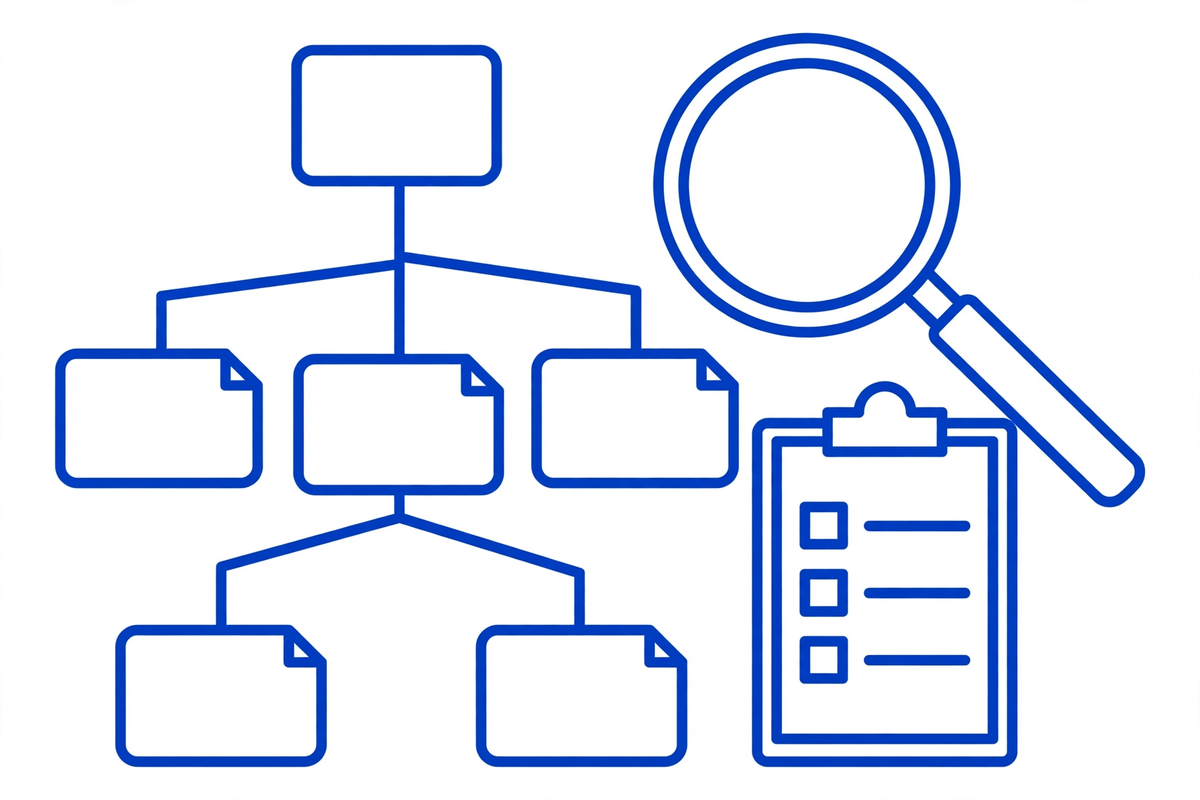
Protection starts before anyone opens design software, with a question most redesigns skip: what, exactly, do we have? Crawl the current site with a crawling tool, or export its structure from your platform or sitemap, and save the complete list of URLs somewhere nobody can tidy away. Screenshots and a full backup belong in the same folder. This inventory is the contract that everything else gets checked against.
Then mark the pages that matter. In Google Search Console, find the pages earning clicks and impressions over the last quarter. That is your protected list. Note which pages have links from other websites pointing at them, because a referring site sends its visitors to an address, not to your brand. If the address dies, the value of that link dies with it. Add the pages that produce enquiries even where search traffic is modest: the booking page, the location pages, the insurance page patients always ask about. A page can look unimportant in a design meeting and be quietly carrying a whole service line.
- Every URL on the current site, including PDFs, old landing pages, and anything linked from your Google Business Profile or social profiles.
- For each protected page: its search traffic, the enquiries it produces, and any external sites linking to it.
- A full backup and screenshots of the current site, so 'what did the old page say?' is always answerable.
The Keep-Your-URLs Rule
The strongest protection in a redesign costs nothing: keep the same URLs. If your implants page ranks today at its current address, the new page about implants should live at that same address too. Same address, new clothes. Google keeps the page's history, patients keep their bookmarks, and every link pointing at the page keeps working without being touched.
Change an address only when the address itself is the problem: it is misleading, it is misspelled, or it buries a main service inside a structure that no longer exists. 'We prefer how the new one reads' is not a reason. Preference is cheap, and history is not. When a URL genuinely must change, it earns a line on the redirect map, the subject of the next section, before the new site is allowed anywhere near launch. And if your redesign is really a rebuild on a new platform, our guide to how to build a website for a medical practice covers the build decisions themselves. The preservation rules here apply either way.
The Redirect Map: One Page to One Page
For every old address that will not survive unchanged, the map records one line: old URL, new URL, done. Each old page redirects, permanently, with a 301 or 308 status, to the single new page that best continues it. Your implants page goes to the new implants page, not to the services overview, and never, as a lazy default, to the homepage. Redirecting unrelated pages to the homepage does not preserve their value: Google treats a redirect to an irrelevant page much like a missing page, and patients who land somewhere unexpected simply leave.
Two more rules keep the map honest. No chains: if a new address later moves again, update the original redirect to point at the final destination, because every hop adds delay and another chance to break. And the map is a spreadsheet owned by a named person, not an intention sitting in a developer's head until launch week. Google's own site-move guidance builds its process on the same discipline: prepare the mapping of old URLs to new ones before the move starts, test the redirects once they are live, and keep them in place long-term.

Content Parity: Don't Delete What Ranks
Redirects protect addresses. Parity protects what the address earned. For every page on the protected list, the new version must carry the substance that ranked: the same topics covered, the same questions answered, headings and page titles carried over deliberately rather than rewritten by default. A redesign may improve the words, clearer, warmer, more current, but improvement and removal are different decisions, and removal should never happen by accident because a new layout had less room.
Be especially careful with the quiet workers: the detailed service pages, the provider profiles, the location pages with their own parking and directions text, the FAQ content that answers the long questions patients actually type. These are often the pages a design template squeezes hardest, and the ones whose traffic is most expensive to lose. If a page truly must be retired, a discontinued service, a closed location, retire it on purpose: redirect it to the closest living relative, or let it return a clear response that it is gone, and record the decision on the inventory.
Staging: Build in Private, Launch in Public
Every redesign is built somewhere first: a staging address, a preview link, a developer's copy. That copy must be invisible to search engines while it is a copy, protected by a password, or blocked with a noindex tag or in the robots rules. An unprotected staging site can be found and indexed, and start competing with your real site using your own content: a confusing mess to untangle in the middle of a launch.
The equal and opposite danger is the one behind most redesign horror stories: the staging block that travels. The noindex keeping the test site hidden gets copied across to the production site on launch day, and the brand-new website politely tells Google not to index any of it. It happens to careful teams, which is why it belongs on the launch checklist as an explicit check, performed by a person, on the live site, never as an assumption. Keep a written list of every staging protection you applied, so removing them all is a task with an end, not an exercise in memory.
Launch Day: Verification, Not Hope
Launch day is verification day. The redesign is not finished when it looks right in a browser tab. It is finished when the plumbing has been tested end to end, on the live site, by someone working from the inventory rather than from optimism.
- Redirects: test every line of the map, old address in, correct new page out, one hop, permanent status.
- Indexing: staging protections removed, the robots file allows the site, no stray noindex on real pages, canonical tags point at the new addresses.
- Patient paths: booking, forms, tap-to-call and directions tested on a phone, and every form submission actually arrives somewhere.
- Measurement: analytics carried over and firing, Search Console verified, the new sitemap submitted.
- The protected list: each top page opened at its address and checked against its old version, one by one.
Do this on a day your team can respond, not a Friday afternoon before a holiday weekend, and keep the old site's backup and the redirect map within reach for the first month, because launch day is when questions are cheapest to answer.
The First Month: Settling vs a Real Problem
Then comes the part nobody can checklist away: waiting, while watching. Google processes a changed site address by address, recrawling and reindexing as it goes, and its own guidance is to expect temporary fluctuation during significant changes. For a typical practice site, settling is usually a matter of weeks rather than days. Rankings wobbling while pages are recrawled is the process working, not failing.
Watching means two specific reports. In Search Console's coverage reporting, look for your protected pages being indexed at their correct addresses, and for errors appearing. And watch the list of missing pages: a stream of 'not found' errors at old addresses is the redirect map telling you about a gap. Each one is a page or a link someone still uses, and each is fixable in minutes while the map is fresh. Hold onto the distinction: movement in positions is weather. Errors on protected addresses and pages dropping out of the index are leaks. Fix leaks immediately. Let weather pass.
The Honest Limits, and Planning Yours
Now the honesty this article owes you. This process minimises risk. It cannot abolish it. No method, agency or checklist can guarantee that a redesign causes zero ranking movement, because rankings also respond to competitors, to Google's own updates, and to the simple fact of change being processed. Anyone who promises you a redesign with no movement at all is not describing how search works. They are selling, and the guarantee will quietly evaporate the first time it is needed.
What the process does guarantee is that the losses within your control, the dead addresses, the deleted pages, the leaked settings, do not happen, and that anything unexpected is spotted within days, with the backup and the map in hand to fix it. If you are planning a redesign and would rather that discipline came built in, that is exactly how our healthcare website redesign service approaches a rebuild: inventory and redirect map before design, parity for the pages that earn, and a watched first month. You can explore our demos to see the standard of site waiting at the other end, and when you want to talk through your own site, what it ranks for, and what you are afraid of losing, tell us about your practice. If cost is the other question on your mind, our breakdown of healthcare website development cost explains what drives it before you ask anyone for a quote.
Written by Chloe Vance
Healthcare Marketing DirectorChloe Vance has led search engine optimization and digital patient acquisition strategies for top pediatric, dental, and multi-specialty clinical chains.
Frequently Asked Questions
Common conversational queries evaluated by our natural language models concerning deployment guidelines.